> ## Documentation Index
> Fetch the complete documentation index at: https://docs.coderabbit.ai/llms.txt
> Use this file to discover all available pages before exploring further.
# Agent skills
> Learn how CodeRabbit Agent writes reusable procedures, stores them across sessions, and applies them to future work.
export const EarlyAccessBadge = ({tip = "This feature is in early access. Enable it by setting `early_access: true` in your `.coderabbit.yaml`, or by toggling Early Access on the web interface.", title = "Early Access", cta = "View configuration", href = "/reference/configuration#param-early-access", disabled = false}) => {
return
{title}
;
};
An agent skill is a reusable procedure that CodeRabbit Agent writes for itself. A skill captures how to complete a repeatable task, including the steps, tools, checks, and output requirements that made the workflow successful.
Durable skills let the Agent reuse working procedures instead of reconstructing the same workflow in every conversation. They are useful for recurring operational tasks, team-specific processes, and multi-step work that benefits from a consistent sequence.
 ## How durable skills work
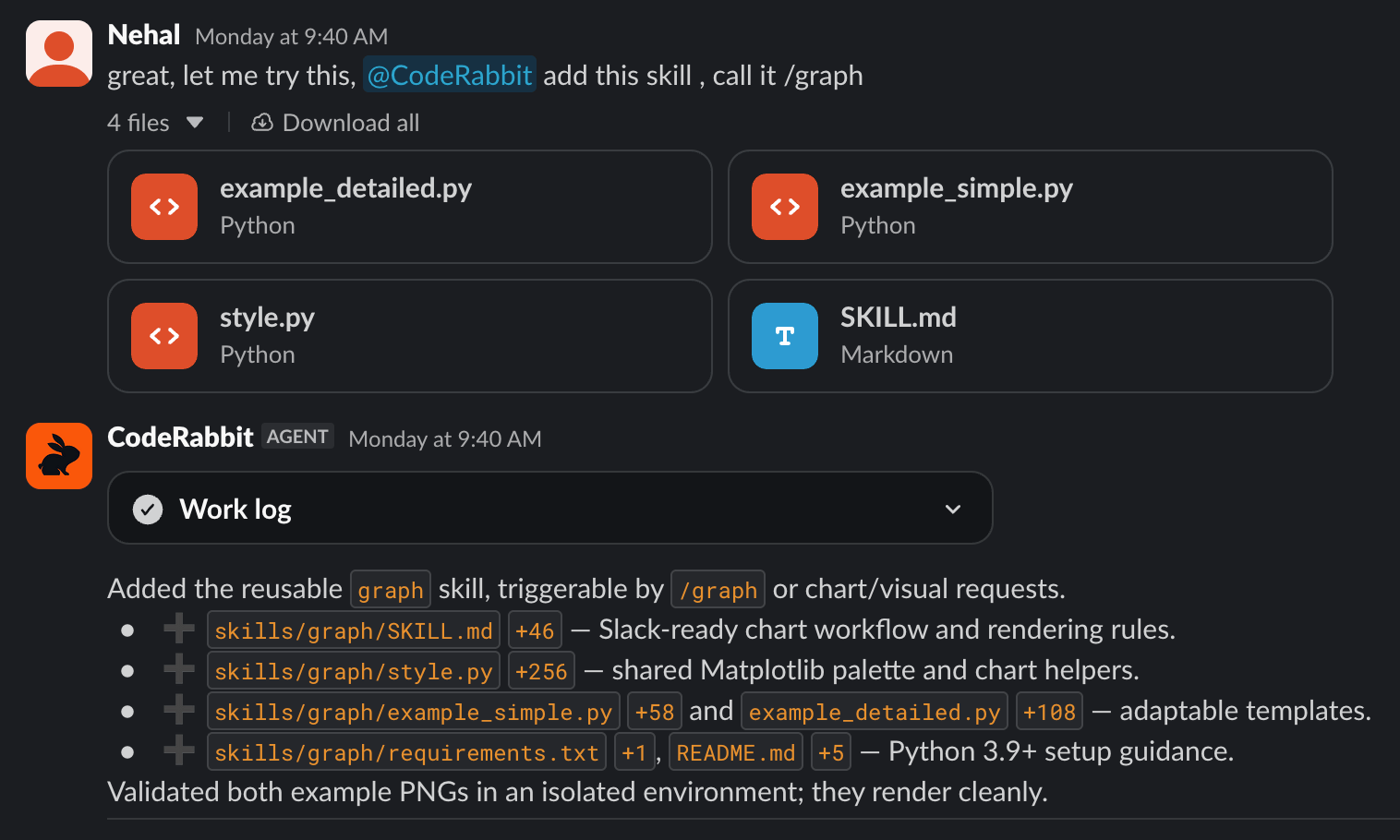
You typically create a skill by asking the Agent to author one directly, for example after it works through a task you expect to repeat. The Agent can also propose a skill on its own when it recognizes that a procedure will be useful again. In either case, the skill records the reusable process rather than the one-time result of the run.
Skills persist across sessions, so a procedure remains available after the conversation or run that created it has ended.
In later runs, the Agent can invoke a stored skill when a request matches its purpose. The skill guides the Agent through the established procedure while the current conversation, repository, connected tools, and permissions provide the context for that specific run.
Agent-authored durable skills are distinct from **Durable facts**. Those are atomic pieces of knowledge the Agent can recall, such as a team convention or architectural decision. A durable skill is a reusable procedure that tells the Agent how to perform a task. See [Knowledge Base](/slack-agent/knowledge-base).
## What's next
See how CodeRabbit Agent investigates, plans, acts, and automates work across team conversations.
Learn how durable facts give the Agent reusable knowledge alongside durable procedures.
Install static SKILL.md packages for compatible coding agents.
## How durable skills work
You typically create a skill by asking the Agent to author one directly, for example after it works through a task you expect to repeat. The Agent can also propose a skill on its own when it recognizes that a procedure will be useful again. In either case, the skill records the reusable process rather than the one-time result of the run.
Skills persist across sessions, so a procedure remains available after the conversation or run that created it has ended.
In later runs, the Agent can invoke a stored skill when a request matches its purpose. The skill guides the Agent through the established procedure while the current conversation, repository, connected tools, and permissions provide the context for that specific run.
Agent-authored durable skills are distinct from **Durable facts**. Those are atomic pieces of knowledge the Agent can recall, such as a team convention or architectural decision. A durable skill is a reusable procedure that tells the Agent how to perform a task. See [Knowledge Base](/slack-agent/knowledge-base).
## What's next
See how CodeRabbit Agent investigates, plans, acts, and automates work across team conversations.
Learn how durable facts give the Agent reusable knowledge alongside durable procedures.
Install static SKILL.md packages for compatible coding agents.