> ## Documentation Index
> Fetch the complete documentation index at: https://docs.coderabbit.ai/llms.txt
> Use this file to discover all available pages before exploring further.
# CodeRabbit Changelog
> Catch up on CodeRabbit's latest features and updates.
export const Hint = ({type, children, headline, tip, href, cta}) => {
const TIPS = {
learnings: {
headline: "Learnings",
tip: "Review preferences CodeRabbit learns from your chat conversations and applies automatically to future reviews.",
cta: "Learn about Learnings",
href: "/knowledge-base/learnings",
content: "Learnings"
},
walkthrough: {
headline: "PR Walkthrough",
tip: "A structured comment posted by CodeRabbit at the top of every pull request, summarizing changes, sequence diagrams, review effort, and more.",
cta: "Learn about PR Walkthroughs",
href: "/pr-reviews/walkthroughs",
content: "Walkthrough"
},
"finishing-touches": {
headline: "Finishing Touches",
tip: "Post-review agentic actions (Autofix, writing docstrings or unit tests, and more) you trigger from a PR comment or a checkbox in the Walkthrough.",
cta: "See all Finishing Touches",
href: "/finishing-touches",
content: "Finishing Touches"
},
"coding-plan": {
headline: "Coding Plan",
tip: "A detailed, codebase-aware implementation plan CodeRabbit generates from an issue or description, ready to hand off to any coding agent.",
cta: "Learn about Coding Plans",
href: "/plan",
content: "Coding Plan"
},
"knowledge-base": {
headline: "Knowledge Base",
tip: "The collected context sources CodeRabbit draws on during reviews: Learnings, Code Guidelines, issue trackers, connected MCP servers, and cross-repo analysis.",
cta: "Explore the Knowledge Base",
href: "/knowledge-base",
content: "Knowledge Base"
},
"path-instructions": {
headline: "Path Instructions",
tip: "Custom review rules that only apply to files matching a glob pattern, e.g. 'src/controllers/**'.",
cta: "Configure path instructions",
href: "/configuration/path-instructions",
content: "Path Instructions"
},
"coderabbit-review": {
headline: "CodeRabbit Review",
tip: "An improved code inspection interface that reorganizes a pull request from a flat file list into a structured, layer-by-layer walkthrough with range-specific summaries and diagrams.",
cta: "Learn about CodeRabbit Review",
href: "/pr-reviews/coderabbit-review",
content: "CodeRabbit Review"
},
scope: {
headline: "Scope",
tip: "A named set of repositories, connections, and spend limits that controls what CodeRabbit Agent can access in a given Slack conversation.",
cta: "Learn about Scopes",
href: "/slack-agent/scopes",
content: "Scope"
},
"coderabbit-agent": {
headline: "CodeRabbit Agent for Slack",
tip: "An AI agent built into Slack that investigates issues, generates implementation plans, and opens pull requests right from the Slack threads.",
cta: "Explore CodeRabbit Agent",
href: "/slack-agent",
content: "CodeRabbit Agent"
},
"configuration-inheritance": {
headline: "Configuration Inheritance",
tip: "A setting that merges configuration values across multiple levels — repository YAML, central YAML, and UI settings — instead of using only the highest-priority source.",
cta: "Learn about Configuration Inheritance",
href: "/configuration/configuration-inheritance",
content: "Configuration Inheritance"
}
};
const defaults = TIPS[type] || ({});
return
{children ?? defaults.content}
;
};
export const CLIBadge = ({tip = "This feature is available with the CodeRabbit CLI.", title = "CLI", cta = "Read more", href = "/cli/index", disabled = false}) => {
return
{title}
;
};
export const EnterprisePlanBadge = ({tip = "This feature is available exclusively as part of the Enterprise plan. Please refer to our pricing page for more information about our plans and features.", title = "Enterprise Plan", cta = "Read more", href = "https://coderabbit.ai/pricing", disabled = false}) => {
return
{title}
;
};
export const EarlyAccessBadge = ({tip = "This feature is in early access. Enable it by setting `early_access: true` in your `.coderabbit.yaml`, or by toggling Early Access on the web interface.", title = "Early Access", cta = "View configuration", href = "/reference/configuration#param-early-access", disabled = false}) => {
return
{title}
;
};
export const ProPlusPlanBadge = ({tip = "This feature is available as part of the Pro+ plan and Enterprise plan. Please refer to our pricing page for more information about our plans and features.", title = "Pro+ Plan", cta = "Read more", href = "https://coderabbit.ai/pricing", disabled = false}) => {
return
{title}
;
};
export const ProPlanBadge = ({tip = "This feature is available as part of the Pro, Pro+ and Enterprise plans. Please refer to our pricing page for more information about our plans and features.", title = "Pro Plan", cta = "Read more", href = "https://coderabbit.ai/pricing", disabled = false}) => {
return
{title}
;
};
export const OpenBetaBadge = ({tip = "This feature is currently in open beta. We are actively improving it based on your feedback. If you encounter any issues or have suggestions, please share them on our Discord community or visit the support page.", title = "Open Beta", cta = "Contact support", href = "/support", disabled = false}) => {
return
{title}
;
};
export const AzureBadge = ({tip = "This feature is available on Azure DevOps.", title = "Azure", cta, href, disabled = false}) => {
return
{title}
;
};
export const GitLabBadge = ({tip = "This feature is available on GitLab.", title = "GitLab", cta, href, disabled = false}) => {
return
{title}
;
};
export const GitHubBadge = ({tip = "This feature is available on GitHub and GitHub Enterprise.", title = "GitHub", cta, href, disabled = false}) => {
return
{title}
;
};
export const AllPlatformsBadge = ({tip = "This feature is available on all supported platforms: GitHub, GitLab, Azure DevOps, and Bitbucket.", title = "All Platforms", cta, href, disabled = false}) => {
return
{title}
;
};
## CLI v0.6.4
v0.6.4 streamlines authentication and improves repository detection for local reviews.
* Smoother SSO and self-hosted sign-in flows.
* Repository detection now resolves SSH aliases, self-hosted hosts, Bitbucket repository slugs, and runtime host overrides, so reviews are attributed to the correct installed repository.
See the [CLI documentation](/cli/index) and [CLI Command Reference](/cli/reference) for more details.
## Choose a branch or pull request for multi-repo analysis |
For [multi-repo analysis](/knowledge-base/multi-repo-analysis), you can now control which ref of a linked repository CodeRabbit reviews against. Reference a branch or pull request of an **already-linked** repository in your pull request description — for example `owner/repo#123`, a PR/branch URL, or `owner/repo@branch-name` — and CodeRabbit reviews against that ref instead of the linked repository's default branch. References to repositories that aren't linked are ignored.
CodeRabbit also matches a linked repository's branch automatically when its name matches your pull request's head branch, so coordinated changes pushed to identically named branches are picked up without any description.
The selected branch or pull request now appears in the **Review info** section of the review summary, so reviewers can see exactly which ref each linked repository was reviewed against.
See [Specifying a branch or pull request to review against](/knowledge-base/multi-repo-analysis#specifying-a-branch-or-pull-request-to-review-against) for details.
## Disable automatically linked repositories |
The **Auto-linked repositories** settings tab now lets you disable an individual repository CodeRabbit linked automatically, without turning off [automatic repository linking](/knowledge-base/multi-repo-analysis#automatic-repository-linking) for the whole repository. Open the repository's detail drawer and choose **Disable** to exclude it from reviews; choose **Enable** to bring it back.
A disabled repository is excluded from reviews, marked **Disabled** in the tab (and hidden by the default status filter), and no longer counts toward your plan's [linked-repository limit](/management/plans#linked-repositories) — so disabling one frees a slot for another repository CodeRabbit discovers. Your choice persists even if CodeRabbit rediscovers the repository during a later review.
See [Multi-Repo Analysis](/knowledge-base/multi-repo-analysis#disabling-an-automatically-linked-repository) for details.
## Enforce configuration inheritance org-wide |
Administrators can now enforce across an entire organization or workspace by setting `inheritance: true` in a [global override](/guides/configuration-overview#global-overrides). The override's `inheritance` flag is evaluated before the inheritance walk and takes precedence over each configuration level's own flag, so every repository and PR review merges the full inheritance chain — including repositories that set `inheritance: false` (or omit it) in their own `.coderabbit.yaml` or UI settings. Turn on inheritance everywhere from one place instead of editing every configuration source.
See [Enforcing inheritance](/guides/configuration-overview#enforcing-inheritance) for details.
## Learnings API |
You can now programmatically access your organization's [Learnings](/knowledge-base/learnings) via the new `GET /v1/learnings` API endpoint. Use it to export, audit, or integrate learnings into your own workflows.
* Filter results by `repository_ids`, `user_ids`, or `organization_ids` (up to 10 each).
* Paginate large result sets using the `cursor` and `limit` parameters.
* Request a flat CSV download by setting `format=csv` — useful for spreadsheet exports and data pipelines.
See the [Learnings API reference](/api-reference/learnings-list) for the full parameter and response schema.
## ast-grep language support
CodeRabbit now runs ast-grep 0.43.0 with expanded file-type support, including Bicep, Dart, Glimmer JavaScript, Glimmer TypeScript, Markdown, and TOML.
See the [ast-grep tool guide](/tools/ast-grep) for the full file-type list.
## Configuration source comments
The `@coderabbitai configuration` command now annotates resolved YAML with comments that show where settings came from. Source comments can identify repository YAML, inherited central configuration, UI settings, defaults, and global overrides, making configuration troubleshooting easier without changing review behavior. This is especially useful when is enabled, as it lets you trace which level each merged value originated from.
See the [review commands reference](/reference/review-commands#information-and-configuration) for details.
## CodeRabbit Reverse Tunnel for self-managed GitLab |
CodeRabbit Reverse Tunnel now supports self-managed GitLab. Enterprise customers can use the same outbound-connector model already available for GitHub Enterprise Server to connect private-network GitLab instances without opening inbound network access.
GitLab reverse-tunnel setup is currently configured through CodeRabbit onboarding. See the [CodeRabbit Reverse Tunnel reference](/self-hosted/coderabbit-reverse-tunnel) for connectivity behavior, platform support, and limitations.
## Linked repositories UI
The **Automatically linked repositories** settings tab now shows auto-detected repositories in a searchable, sortable, paginated read-only table when automatic repository linking is enabled and detections exist. Select a repository to open a detail drawer with its detected instructions.
The global **Automatic repository linking** toggle now lives only in **Knowledge Base** settings. When automatic linking is off, the Automatically linked repositories tab points you back to Knowledge Base settings to enable it.
See [Multi-Repo Analysis](/knowledge-base/multi-repo-analysis#automatic-repository-linking) for setup and behavior details.
## Dashboard Metrics: Path-based Instructions and Finishing Touches
You can now track two new areas directly from your CodeRabbit dashboard:
* **Path-based Instructions Usage** — see what percentage of pull requests and IDE/CLI reviews benefited from [path-based instructions](/configuration/path-instructions) and how many times they were applied. This metric appears in both the Knowledge Base and IDE/CLI Summary sections.
* **Finishing Touch metrics** — the Pre-merge Checks section now surfaces [Finishing Touch](/finishing-touches/index) Runs (by recipe type), Weekly Finishing Touch Runs, and Finishing Touch Runs by Output Type, so you can track which recipes your team triggers most and how results are delivered.
For full metric definitions, see the [dashboard metrics reference](/guides/dashboard-metrics) and the [IDE/CLI dashboard metrics reference](/guides/ide-cli-dashboard-metrics).
## React Doctor
CodeRabbit now runs [React Doctor](https://www.npmjs.com/package/react-doctor) v0.5.6 to scan React codebases for security, performance, correctness, and accessibility issues. React Doctor runs automatically on `.jsx`, `.tsx`, `.ts`, `.js`, `.mjs`, and `.cjs` files when the pull request touches a JSX file or a nearby `package.json` declares a React dependency such as `react`, `react-dom`, or `react-native`.
React Doctor is enabled by default. To disable it, set `reviews.tools.reactDoctor.enabled: false` in your `.coderabbit.yaml` or from **Reviews → Tools → React Doctor** in the settings page.
See the [React Doctor tool guide](/tools/react-doctor) for configuration details, supported profiles, and skip conditions.
## CLI v0.6.1
v0.6.1 introduces `coderabbit review --light` for faster local review iteration, plus quality-of-life improvements and bug fixes.
* `--light` gives you a faster review loop for checking each commit. The previous `--fast` flag still works as a hidden compatibility alias.
* The CLI now shows a one-time **What's new** note after upgrading.
* Auth status, sign-in, organization selection, and rate-limit messages are clearer.
* Ctrl-C cleanup and repository matching are more reliable across SSH remotes, self-hosted instances, and Git worktrees.
See the [CLI documentation](/cli/index) and [CLI Command Reference](/cli/reference) for more details.
## Lite and Pro Legacy plan sunset
CodeRabbit retired Lite and Pro Legacy subscription plans on June 8, 2026. Affected customers were moved to Pro at no additional cost through the end of their subscription term.
For promotional pricing, renewal timing, and support details, see the [support knowledge base article](https://kb.coderabbit.ai/articles/2508018126-sunset-of-lite-and-pro-legacy-subscription-plans?lang=en).
## Custom Roles API `org_id` parameter
Enterprise customers using the Custom Roles API can now specify `org_id` in API calls to target a specific organization when authenticating with a workspace-scoped API token.
For endpoint details, see the [Custom roles API reference](/management/custom-roles#api-reference).
## oasdiff
CodeRabbit now runs [oasdiff](https://github.com/oasdiff/oasdiff) to detect breaking changes between OpenAPI specifications during pull request reviews. oasdiff is enabled by default and runs automatically when changed files contain OpenAPI specs.
See the [oasdiff tool guide](/tools/oasdiff) for details.
## Devin IDE handoff
The CodeRabbit IDE extension can now open direct handoff links for Devin. Use **Fix with AI** from review findings or **Send to IDE** from [Agent Handoff](/plan/agent-handoff) to send prompts to Devin when it is your configured AI coding agent.
## SkillSpector
CodeRabbit now runs Nvidia's [SkillSpector](https://github.com/nvidia/skillspector) to detect security risks in AI agent skills and MCP configuration files during pull request reviews. CodeRabbit runs SkillSpector against changed files including `SKILL.md`, `mcp.json`, `mcp-config.json`, `claude_desktop_config.json`, `.cursorrules`, and `codex.yaml`.
SkillSpector is enabled by default. To disable it, set `reviews.tools.skillspector.enabled: false` in your `.coderabbit.yaml` or from **Reviews → Tools → SkillSpector** in the settings page.
See the [SkillSpector tool guide](/tools/skillspector) for details.
## Learning approvals
CodeRabbit now lets administrators review newly created before they are added to the knowledge base. The feature is available on all pricing plans, and the default behavior is unchanged: learnings are approved immediately unless an approval delay is configured.
Set `knowledge_base.learnings.approval_delay` to `1` through `30` days at the organization or repository level to hold new chat-sourced learnings for review. During that window, admins can use the **Pending approvals** tab on the Learnings dashboard to approve or disapprove each learning. If no one acts before the deadline, CodeRabbit auto-approves the learning. Existing learnings are not affected.
See the [Learnings documentation](/knowledge-base/learnings#require-approval-before-applying-learnings) for setup details.
## Finishing Touches platform updates
|
Finishing Touches are now available on more platforms:
* **Autofix** is now available on Azure DevOps pull requests.
* **Generate unit tests** and **Custom recipes** are now available on GitLab merge requests.
See the [Finishing Touches overview](/finishing-touches) for the full platform support matrix.
## CodeRabbit Plan in the VS Code extension
|
[CodeRabbit Plan](/plan) is now available directly in the CodeRabbit VS Code extension. The new **Plans** tab in the sidebar lets you create agent-ready Coding Plans without leaving your editor. Describe a change, reference workspace files with `@`, and attach PRDs, specs, or screenshots for context.
From the same tab you can browse existing plans, review each plan's summary, research, assumptions, and phases, then select phases and hand them off to your configured AI coding agent with one click, or use **Iterate on Web** to refine the plan in the web app. See [Plan with the VS Code extension](/ide/vscode-plan) for the full workflow.
## Amplemarket connection
can now connect to [Amplemarket](https://www.amplemarket.com/) from the Connections catalog. Add Amplemarket under **Sales Intelligence** with an API key from Amplemarket Settings > API.
Use this connection when Agent work needs outbound sales context such as tasks due, contact and account activity history, calls, sequences, or lead lists. See the [Connections documentation](/slack-agent/connections) for setup details.
## CLI v0.6.0
v0.6.0 makes local reviews faster to start, easier to understand, and simpler to operate.
* `coderabbit review --fast` adds an explicit opt-in for faster local reviews.
* Auth status, sign-in, organization selection, and rate-limit messages now provide clearer context in `coderabbit auth status`.
* `--interactive` and `--prompt-only` are deprecated; use plain review mode and `coderabbit review --agent`.
* Ctrl-C now exits review and auth cleanup promptly.
* Repository-to-organization matching now handles SSH remotes with non-`git` users (such as GitHub Enterprise org-named users), `ssh://` remotes with custom ports, and self-hosted instances registered on custom web ports or subpaths, so reviews attribute to your installed organization instead of falling back to free review limits.
* Branch lists are no longer corrupted by Git worktree markers when a branch is checked out in another worktree.
See the [CLI documentation](/cli/index) and [CLI Command Reference](/cli/reference) for more details.
## Automatic Repository Linking
|
CodeRabbit can now discover and link related repositories across your organization automatically, so cross-repository context appears in reviews without maintaining the list by hand. Automatically linked repositories supplement your manual entries, which are always preserved. Enable it with `knowledge_base.automatic_repository_linking: true` in `.coderabbit.yaml`, or from **Knowledge Base** > **Linked Repositories** in the app.
See the [Automatic Repository Linking documentation](/knowledge-base/multi-repo-analysis#automatic-repository-linking) for details.
## CLI v0.5.4
v0.5.4 fixes common sign-in, review, and update edge cases.
* Browser sign-in now skips the organization picker when only one organization is available.
* Reviews resolve Azure DevOps repositories and unusual base branches more reliably, and ignore stale events from previous reviews.
* Piped output no longer reports expected broken-pipe closures as CLI errors.
* Installs and updates pick up new releases more consistently.
See the [CLI documentation](/cli/index) and [CLI Command Reference](/cli/reference) for more details.
## Customer.io connections
can now connect to Customer.io from the Connections catalog. Add Customer.io under **Customer Data**, choose region, then configure either direct App API access or the matching regional MCP server.
Use this connection when Agent work needs Customer.io people, segments, campaigns, broadcasts, newsletters, transactional messages, or other lifecycle marketing context.
See the [Connections documentation](/slack-agent/connections) for setup details.
## Customer Support Portal
Paid-plan users can now open **Customer Support Portal** from the in-app user menu under **Support Chat**. The portal opens in a new tab and uses your organization context so support requests land in the right place.
Support Chat remains available to all signed-in users for help from AI agents and human agents.
See [Get support](/support) for support options.
## CodeRabbit Review on GitHub Enterprise Server
| now supports GitHub Enterprise Server. Self-hosted GitHub teams can open Change Stack from the PR comment and get a structured, ordered view of the change — so it's easier to understand what a PR does and make a decision, rather than reconstructing intent from a flat file list.
See the [CodeRabbit Review documentation](/pr-reviews/coderabbit-review) for supported platforms and review workflow details.
## Workspace Settings
Enterprise workspace admins can now configure CodeRabbit at the workspace level. Previously, settings had to be managed per organization, which became difficult to maintain across many organizations. Workspace Settings provide a shared configuration baseline for every organization in the workspace, and workspace global overrides take precedence over organization global overrides when both levels set the same key.
## CodeRabbit Review for GitLab
|
Newest code review tool is now available for GitLab.com and self-managed GitLab customers. Open Change Stack from the CodeRabbit review comment to use advanced Code Review interface. Navigate cohorts, layers, and summaries in a guided review flow.
See the [CodeRabbit Review documentation](/pr-reviews/coderabbit-review) for details.
## Emit Path Instructions
The new `emit path instructions` command opens a pull request that adds CodeRabbit-suggested to your `.coderabbit.yaml`. CodeRabbit collects suggestions from the past 7 days, including those generated by the path-instruction agent, deduplicates them by path, and adds them to `reviews.path_instructions` without overwriting existing entries.
Read more in the [command reference](/reference/review-commands).
## Review command completion status
CodeRabbit now updates the command acknowledgment for `@coderabbitai review` and `@coderabbitai full review` after the requested review finishes.
The status now changes from **Review triggered.** to **Review finished.**, or from **Full review triggered.** to **Full review finished.**
This makes it easier to tell whether a manual review command has only started or has fully completed. See the [review commands reference](/reference/review-commands) for command usage.
## CLI v0.5.3
v0.5.3 improves organization selection during sign-in and makes local reviews start cleaner.
* Browser sign-in now handles large organization lists with progress, search, and a git-remote recommendation.
* CLI reviews now skip cleanly when there are no local changes. In agent mode, the CLI emits `review_skipped` instead of starting an unnecessary review.
* Repository attribution is more reliable when remote owner or repository casing differs from the installed CodeRabbit repository.
See the [CLI documentation](/cli/index) and [CLI Command Reference](/cli/reference) for more details.
## Infer static analysis
CodeRabbit now supports [Infer](https://fbinfer.com/) for C, C++, and Java code. Infer helps find bugs such as null dereferences, resource leaks, and concurrency issues during pull request reviews.
Infer runs on C and C++ changes by default. Java analysis is available through the `reviews.tools.fbinfer.enable_java` setting because Java projects may require compiling more than the changed files.
See the [Infer tool guide](/tools/fbinfer) for configuration details.
## Custom Roles API
Enterprise custom roles can now be managed programmatically. Six new REST endpoints cover the full lifecycle: list roles, create a role (optionally copying permissions from an existing one), retrieve or update a role, delete a role, and list valid permission options.
For endpoint details, see the [Custom roles API reference](/management/custom-roles#api-reference).
## Usage-based auto-refill monthly cap
Usage-based add-on auto-refill now checks the configurable monthly cap before charging an automated refill. CodeRabbit counts auto-refill charges in the current UTC calendar month, skips a refill that would exceed the cap, and leaves manual credit purchases unaffected.
See the [Usage-based Add-on documentation](/management/usage-based-addon#manage-credits) for setup details.
## Automation trigger drafts
Trigger-based CodeRabbit Agent automations can now be saved as paused drafts or enabled immediately from the web app. Existing triggers can also be switched between active and paused before saving changes.
See the [Automations documentation](/slack-agent/automations#triggers) for details.
## Subscription and billing revamp
The **Subscription and Billing** page has been updated with a new invoice tab, expanded billing information fields, and clearer documentation of upgrade/downgrade scheduling behavior. See the [billing](/management/billing) and [subscription management](/management/subscription-management) pages for details.
## zizmor Support
CodeRabbit now integrates [zizmor](https://docs.zizmor.sh/) to automatically detect security vulnerabilities in your GitHub Actions workflow files during pull request reviews. zizmor is enabled by default.
See the [Tool configuration](/tools/zizmor) page for the detailed info.
## CLI v0.5.2
v0.5.2 improves output visibility, adds two commands for inspecting past reviews, and makes agent-mode pipelines more reliable.
* Plain-text output now includes a finding count and per-severity breakdown at the end of each run; individual finding cards are easier to scan mid-output.
* `coderabbit review findings` replays locally cached results from the last run. `coderabbit review --show-prompts` prints the AI prompts used in that run.
* Agent mode now emits `heartbeat` events during long reviews, includes a `comment` field as a fallback when `codegenInstructions` is absent, and warns when plain mode is used inside a detected agent environment.
See the [CLI documentation](/cli/index) and [CLI Command Reference](/cli/reference) for more details.
## CLI v0.5.1
### Repository resolution fixes
This release makes the repository resolution introduced in `0.5.0` more reliable and fixes repository resolution for self-hosted GitLab.
### `--prompt-only` is now an alias
The `--prompt-only` flag now behaves like `--agent`. It remains available as a deprecated alias.
See the [CLI documentation](/cli/index) and [CLI Command Reference](/cli/reference) for more details.
## Change Stack Code Peek
|
Change Stack now supports **Code Peek**: click a variable, function, class, or type name to look up its definition and usages. Code Peek uses GitHub code search to show likely definitions and references with surrounding context, so you can follow the code without leaving the review.
When a result points to a changed file in the pull request, **Open in Change Stack** jumps to that file. Change Stack keeps an in-page back trail so you can return to where you started.
See the [Change Stack documentation](/pr-reviews/coderabbit-review) for details.
## Change Stack diff views
|
Change Stack now includes a **Semantic** diff view alongside Unified and Split. Semantic diffs group related code movement and token-level changes so large AI-authored pull requests are easier to inspect.
The left rail also includes an **All files** view for searching and jumping across files in CodeRabbit's review scope. In the comment composer, GitHub-style autocomplete supports user and team mentions, issue and pull request references, metadata references, and emoji shortcodes.
Diff lines now wrap automatically in every view, so there is no separate line-wrap toggle.
See the [Change Stack documentation](/pr-reviews/coderabbit-review) for details.
## Google Search Console and Reddit Ads connections
CodeRabbit Agent for Slack now supports **Google Search Console** and **Reddit Ads** as first-class workspace connections.
Add them from **Connections**, complete OAuth, and assign each connection to the scopes that should use search performance, sitemap, URL inspection, campaign, ad group, ad, or reporting data.
See [Connections](/slack-agent/connections) for setup details.
## CLI v0.5.0
### Diagnostics command — `coderabbit doctor`
The new `coderabbit doctor` command inspects your local setup and surfaces configuration or connectivity issues before you run a review, making it easier to troubleshoot problems without digging through logs.
### Streamlined sign-in and organization selection
Browser-based sign-in now handles organization selection in a single step, so you no longer need a separate prompt to choose the right organization after authenticating.
### Improved repository attribution
CLI reviews now resolve repositories to the correct CodeRabbit organization more reliably - useful if you belong to multiple organizations or have repositories with the same name across them.
See the [CLI documentation](/cli/index) and [CLI Command Reference](/cli/reference) for more details.
## GitLab project-level installation
GitLab project **Owners** and **Maintainers** can now install CodeRabbit on their projects from the **Repositories** page without requiring top-level GitLab group Owner access. This includes projects inside subgroups.
The **Install Group** action remains restricted to group Owners. See the [GitLab setup guide](/platforms/gitlab-com#repository-installation) for details.
## Workspace-scoped issue planning rulesets
Jira and Linear auto-planning rulesets are now configured at the workspace level. When a workspace has multiple CodeRabbit organizations or multiple issue tracker connections, select the organization and issue tracker **Connection** before choosing repositories or ruleset conditions.
See the [Jira](/issues/planner/jira#auto-planning-recommended) and [Linear](/issues/planner/linear#auto-planning-recommended) planning guides for setup details.
## Automation admin role
CodeRabbit Agent for Slack now supports an **Automation admin** role for delegated automation management. Workspace admins can assign the role from **Workspace Users** and set who may create automations from **Account Settings**: any user, global admins only, or global admins plus Automation admins.
When Automation admin management is enabled, Automation admins can create automations, view automation admin surfaces, and manage same-workspace automations without receiving full workspace-admin access.
See [Automations](/slack-agent/automations#who-can-manage-automations) and [Admin roles and security](/slack-agent/admin-and-security) for details.
## ember-template-lint project detection
CodeRabbit now runs ember-template-lint only when changed `.hbs` files appear to belong to an Ember project. CodeRabbit checks standard Ember template paths, Ember project marker files, and nearby `package.json` files for Ember dependencies before running the tool.
This reduces noise on unrelated Handlebars files such as generator templates.
See the [ember-template-lint documentation](/tools/ember-template-lint) for the current detection and skip behavior.
## Microsoft Presidio Analyzer is now opt-in
Microsoft Presidio Analyzer no longer runs by default in pull request reviews. To scan changed files for high-signal PII findings, enable `reviews.tools.presidio.enabled`.
See the Presidio Analyzer [documentation](/tools/presidio) for setup details.
## PMD default ruleset fallback
CodeRabbit now runs PMD with a generated default ruleset when a Java repository does not provide `reviews.tools.pmd.config_file` or a repo-level `ruleset.xml`.
See the [PMD documentation](/tools/pmd) for configuration details.
## Custom triggers for Agent automations
CodeRabbit Agent automations can now start not only on a recurring schedule or a new channel message, but also from an **external webhook event**. After saving a webhook trigger, CodeRabbit provides the webhook URL, required header, and a sample payload to configure in the source service.
Natively supported providers: **Datadog**, **PagerDuty**, and **Pylon**. Any other service can connect via a **custom webhook**.
Webhook triggers can match by provider event type, by JSON payload fields, or both. If no matching rule passes, the event is dropped.
Additionally, the Automations page in the web app is now available to all workspace users. Workspace admins can see every automation and trigger in the workspace; other users can see the automations and triggers they created.
See the [Automations documentation](/slack-agent/automations#triggers) for full details.
## CodeRabbit Change Stack
|
Change Stack is a new **code review interface** that reorganizes a pull request from a flat file list into a guided, layer-by-layer walkthrough, so reviewers can follow the change in the logical, explorable order, not in alphabetical file order.
AI-authored PRs tend to be larger and touch more files than handwritten ones: main changes, new migrations, consumers, call sites, and tests all in one diff. GitHub surfaces these as a flat file list, leaving reviewers to reconstruct the meaning themselves before they can evaluate anything. Change Stack is designed to assist with the review of larger, harder-to-read AI-written changes.
Change Stack organizes a PR into ordered **cohorts** and **layers** anchored to specific line ranges, each with its own **range-specific summary**. Diagrams are generated inline where they add value: sequence diagrams for new call flows, ERDs for data model changes.
Open it from the **Review Change Stack →** button in the CodeRabbit PR comment. Comments and approvals post back to GitHub natively. Change Stack is available to all users during launch and will be part of the `Pro+` plan.
See the [Change Stack documentation](/pr-reviews/coderabbit-review) for details.
**Note:** This feature has been renamed to **CodeRabbit Review**. The documentation above reflects the current name.
## CodeRabbit Reverse Tunnel
|
The CodeRabbit Reverse Tunnel lets Enterprise teams connect CodeRabbit to a private-network GitHub Enterprise Server without opening inbound access. A customer-hosted Reverse Tunnel Connector dials out to the CodeRabbit-managed Reverse Tunnel Gateway over WSS, and CodeRabbit routes GHES API and HTTPS Git traffic through that existing outbound session.
See the [CodeRabbit Reverse Tunnel guide](/self-hosted/coderabbit-reverse-tunnel) for architecture, network requirements, and onboarding details.
## CLI v0.4.5
CodeRabbit CLI `0.4.5` improves reliability on large repositories, adds clearer guidance when a review payload is too large, and fixes Free-plan CLI review limits to use the expected 3 reviews per hour bucket.
This release also includes bug fixes for review event handling, macOS `coderabbit auth login`, plain-mode severity labels, and the non-functional `--files` option. Use `--dir` to scope reviews instead.
See the [CLI documentation](/cli/index) and [CLI Command Reference](/cli/reference) for more details.
## Microsoft Presidio Analyzer
Pull request reviews now run [Microsoft Presidio Analyzer](https://microsoft.github.io/presidio/) to detect possible PII leaks. Supported entity types include credit card, crypto wallet addresses, email, IBAN, phone number, US bank number, US ITIN, and US SSN. Configure `reviews.tools.presidio` for entities and score threshold.
See the Presidio Analyzer [documentation](/tools/presidio) for configuration details.
## Slack Agent admin views
CodeRabbit Agent for Slack now makes admin surfaces clearer for workspace and scope admins:
* The **Connections** list shows linked scopes for each connection and supports searching by scope name.
* Connection categories are consistent across the connection catalog and the Agent's run context.
* The **Usage** table shows run times in the viewer's browser timezone, with UTC as a fallback.
See [Connections](/slack-agent/connections) and [Usage](/slack-agent/usage) for the updated behavior.
## Google Ads workspace connection
CodeRabbit Agent for Slack now supports **Google Ads** as a first-class workspace connection.
Workspace admins can add a Google Ads connection from the **Connections** page, authenticate it with OAuth, and assign it to the Base Scope or any matching scope like other non-MCP service connections.
Google Ads connections support the account fields used during setup:
* **Customer ID** for the target Google Ads account
* **Login Customer ID** when the connection should use a manager account
See [Connections](/slack-agent/connections) for setup details and [Scopes](/slack-agent/scopes) for how to make the connection available in Slack conversations.
## Suggested Reviewers on GitLab
The `suggested_reviewers_instructions` config option now works on GitLab. CodeRabbit resolves configured usernames to GitLab user IDs and assigns them as merge request reviewers.
Team or group reviewer handles are not supported on GitLab — they're ignored if included in the instructions.
See [Suggested reviewers](/pr-reviews/walkthroughs#suggested-reviewers) for usage details.
## Message-triggered Slack automations
CodeRabbit Agent automations can now run on each new top-level message in their home channel, not just on a recurring schedule. Use message-triggered automations when you want CodeRabbit to react to messages in Slack, such as Datadog alerts, deployment notices, or queue-health posts. You can:
* Match every new top-level message in the channel
* Restrict runs to messages whose text includes specific case-insensitive substrings
* Restrict runs to specific Slack bots or Slack apps with a required author allowlist
Message-triggered automations always reply in the triggering thread. `Run now` is not available for this trigger type; post a matching bot or app message in the channel to test it.
## Rate limit visibility
CodeRabbit now shows remaining PR review quota in review walkthroughs, including when the bucket refills. You can also comment `@coderabbitai rate limit` or ask a clear question like `@coderabbitai reviews remaining?` to get the same status without starting a new review.
## CLI v0.4.4
CodeRabbit CLI `0.4.4` includes stability fixes for review event handling, and fixes an edge-case `coderabbit auth login` crash on macOS.
See the [CLI documentation](/cli/index) and [CLI Command Reference](/cli/reference) for more details.
## Autofix on GitLab |
Autofix now supports GitLab merge requests. Use `@coderabbitai autofix` to commit fixes to the current branch, or `@coderabbitai autofix stacked pr` to open a separate merge request with the changes.
GitHub and GitLab now share the same Autofix comment commands. Interactive **Autofix (Beta)** checkboxes remain available on supported GitHub pull-request flows.
See the [Autofix documentation](/finishing-touches/autofix) for complete details.
## Dashboard repository multi-select
Metrics dashboards now support selecting multiple repositories in the **Repository** filter. Use it to view combined metrics for several repositories in one dashboard view instead of switching filters one repo at a time.
See [Dashboard overview](/guides/dashboard) for the updated filter description.
## CodeRabbit Agent for Slack
CodeRabbit Agent is an AI agent for your entire SDLC right in Slack. Your team can investigate issues, generate implementation plans, and open pull requests — all from the channel or thread where the conversation is already happening.
**Investigate** — Ask questions about your codebase, trace features, and cross-reference Sentry errors with merged PRs and Jira issues.
**Plan** — Turn any Slack thread into a structured ready for any coding agent.
**Act** — Discuss requirements with your team, reference Linear issues or Figma designs, then ask CodeRabbit to open a pull request incorporating everything.
Every response runs within a , so the agent only sees the repositories and connections your admins have approved for a specific channel. A persistent retains what your team discovers so every conversation starts smarter.
Integrate with Jira, Linear, Notion, Sentry, Datadog, PagerDuty, Figma, Google Drive, and any MCP servers. Schedule recurring tasks — vulnerability checks, weekly summaries, periodic audits — that post results into Slack threads automatically.
See the [CodeRabbit Agent documentation](/slack-agent) to get started.
## Suggested Reviewer Rules
When your team has subject-matter experts for different areas of the codebase, you can now tell CodeRabbit exactly who to suggest for each scenario. Use `suggested_reviewers_instructions` in your `.coderabbit.yaml` to map groups of reviewers — individual users or teams — to the PR conditions where they should be assigned. When the list is empty, CodeRabbit falls back to suggestions based on prior PRs.
See [Suggested reviewers](/pr-reviews/walkthroughs#suggested-reviewers) for usage details.
## Pro+ plan
CodeRabbit now offers **Pro Plus** as a distinct plan between **Pro** and **Enterprise**. Pro covers core AI Code Review workflows, while Pro+ adds higher-tier actions that happen before and after review, such as [CodeRabbit Plan](/plan), [unit test generation](/finishing-touches/unit-test-generation), [Resolve Merge Conflicts](/finishing-touches/resolve-merge-conflict), and [Simplify code](/finishing-touches/simplify).
Pro+ also raises the rate limits for PR reviews, increases limits for [MCP server connections](/integrations/mcp-servers) and [Multi-Repo Analysis](/knowledge-base/multi-repo-analysis). See [Plans and pricing](/management/plans) for the full comparison and upgrade details.
## Global overrides
Organization admins can now define [Global overrides](/guides/configuration-overview#global-overrides) that enforce configuration settings across every repository and pull request in the organization. Global overrides sit at the top of the configuration priority hierarchy, superseding repository-level `.coderabbit.yaml` files, central configuration, and all other sources.
Set global overrides from **Organization settings** in the CodeRabbit web app. When an override overlaps with an existing setting, nested objects are merged together, while arrays and simple values are replaced entirely.
## Codex plugin
CodeRabbit has been available in Codex through CodeRabbit CLI, and is now also available as a dedicated Codex plugin. The plugin is more convenient to set up and use, and adds support for invoking CodeRabbit directly with `@coderabbit` mentions. After installing the plugin from the Codex marketplace and authenticating the CodeRabbit CLI, trigger a review with plain language or an explicit mention: `Review my current changes with @CodeRabbit`
The plugin verifies your CLI installation and authentication, runs the review, summarizes the diff, and reports findings with severity, file path, impact, and fix direction. Codex can then apply fixes automatically, creating a continuous build-and-fix loop without leaving your development environment.
See [Codex integration](/cli/codex-integration) for installation steps and usage examples.
## PR Usage-based Add-on
Teams that reach their plan's PR review limit no longer need to wait for a billing cycle reset or upgrade their plan. Enabling the **Usage-based add-on** lets CodeRabbit continue reviewing pull requests past the limit, charging credits only for over-limit reviews. Regular usage stays on your plan, only the overflow is charged.
CLI-triggered reviews follow the same billing path and opt-in logic as PR reviews: one toggle, one credit balance, one billing path.
Admins enable the add-on using the pay-as-you-go toggle in **Organization Settings** in the CodeRabbit dashboard. See [Usage-based Add-on](/management/usage-based-addon) for setup details.
## CLI v0.4.1
CodeRabbit CLI `0.4.1` adds `coderabbit stats`, replaces `--cwd` with `--dir` for subdirectory-scoped reviews, and includes fixes affecting self-hosted auth and cleanup on `--help`.
See the [CLI documentation](/cli/index) and [CLI Command Reference](/cli/reference) for more details.
## SSH repository access
CodeRabbit now supports SSH cloning for self-managed GitLab instances. If your organization requires SSH instead of HTTPS for repository access, you can configure your SSH credentials directly in the CodeRabbit web app under **Account** → **Developer settings** → **SSH Clone Credentials**. See the [SSH Clone Credentials documentation](/platforms/self-hosted-gitlab#ssh-repository-access) for setup instructions.
## CLI v0.4.0
### Seamless browser sign-in
`coderabbit auth login` now completes entirely in the browser, no more copying and pasting tokens back into your terminal.
### Full agent support
The `--agent` flag, introduced in version 0.3.11, now supports authentication workflows, improving compatibility with Codex, Cursor, Claude Code, OpenCode, and other coding agents.
See the [CLI documentation](/cli/index) and [CLI reference](/cli/reference) for details.
## CLI v0.3.11: agent mode
The CLI now supports `--agent` mode, which outputs review results in structured JSON format for [Skills](/cli/skills) and other agent integrations to consume directly.
See the [CLI documentation](/cli/index) for more details.
## GitLab webhook secret management
CodeRabbit now supports webhook-secret management for both GitLab.com and self-managed GitLab from the **Webhook Secret** settings page. You can copy the exact webhook URL from the UI for manual setup, and when you rotate an existing secret, CodeRabbit attempts to refresh existing CodeRabbit-managed project and group webhooks automatically.
If a webhook was created manually, or if an automatic refresh fails, update that webhook's secret directly in GitLab.
See the [GitLab](/platforms/gitlab-com#manual-webhook-installation) and [self-managed GitLab](/platforms/self-hosted-gitlab#manual-webhook-installation) setup guides for details.
## Audit Logs
Large organizations need a clear record of who changed what, when, and from where: for security investigations, compliance audits, and feeding changes into a SIEM. CodeRabbit now provides a tamper-resistant audit log covering every administrative action across your workspace: seat assignments and removals, role changes, organization and repository changes, subscription events, configuration updates, and API key operations.
The log is accessible directly in the Settings UI or via REST API for automated export, custom compliance reports, or integration with external tooling.
See the [Audit Logs documentation](/management/audit-logs) and [API reference](/api-reference/audit-logs) for details.
## Slop Detection
Open-source repositories are increasingly overwhelmed by low-quality, AI-generated pull requests. To protect maintainers, CodeRabbit now automatically detects slop on public GitHub repositories and flags it in the PR Walkthrough comment. To tag suspicious PRs with a label, set the desired `label` field under `slop_detection`:
```yaml .coderabbit.yaml wrap theme={null}
reviews:
slop_detection:
enabled: true # Default
label: "slop" # Add a label to apply
```
The feature is available on GitHub and enabled by default. See the [Slop Detection documentation](/pr-reviews/slop-detection) for details.
## Bitbucket Data Center support
CodeRabbit now supports Bitbucket Data Center as a Git platform. Connect your Bitbucket Data Center instance to get AI-powered code reviews directly on your pull requests, with OAuth 2.0 authentication, automated webhook configuration, and full pull request review capabilities.
See the [Bitbucket Data Center integration guide](/platforms/bitbucket-data-center) to get started.
## Betterleaks replaces Gitleaks for secret scanning
CodeRabbit's secret scanning tool has been upgraded from Gitleaks to Betterleaks, an improved version that offers enhanced secret detection. The `gitleaks` configuration key in your `.coderabbit.yaml` now controls Betterleaks, and the default remains enabled — so your existing secret scanning continues to work without any changes on your part.
See the [tools reference](/tools/reference) for configuration details.
## Redesigned settings with three view modes
The settings page now offers three view modes, accessible from the **Change mode** dropdown in the sidebar:
* **Concise** (default): A curated set of the most commonly changed settings.
* **All Settings**: The complete list of every available setting for full control.
* **YAML Editor**: Direct YAML editing with real-time schema validation.
All three views share the same underlying configuration, so changes made in one view are reflected in the others.
In Concise and All Settings modes, a live **Preview** panel shows a mock PR review comment so you can see exactly how each setting affects your reviews. Use the command palette (**Cmd+K** / **Ctrl+K**) to search for any setting across all modes.
See the [organization settings](/guides/organization-settings) and [repository settings](/guides/repository-settings) documentation for details.
## Resolve Merge Conflicts |
Merge conflicts no longer have to interrupt your flow, CodeRabbit detects conflicts during PR review and can resolve them automatically, analyzing the intent behind each side's changes and committing the result as a proper merge commit.
Where the correct resolution is genuinely ambiguous or involves security-critical logic, like authentication, encryption, access control — CodeRabbit declines and flags the conflict for manual review instead of guessing.
See the [Resolve Merge Conflicts](/finishing-touches/resolve-merge-conflict) documentation for details.
## New chat access control for GitHub organizations
Some teams want CodeRabbit chat to be an internal tool only, even in public repositories. You can now set `allow_non_org_members: false` in the `chat` section of your configuration to limit comment-thread interactions to organization members. Automatic PR reviews are unaffected, this setting only governs who can chat. The default is `true`, keeping existing behavior for everyone else.
See the [configuration reference](/reference/configuration#param-allow-non-org-members) for details.
## Simplify code |
Simplify reviews the files changed in your pull request and applies targeted code improvements — extracting reusable functions, simplifying conditionals, removing redundant code — while preserving existing behavior. Trigger it with `@coderabbitai simplify` or via the **✨ Simplify code** checkbox in the CodeRabbit PR Walkthrough.
See the [Simplify code documentation](/finishing-touches/simplify) for details.
## Dashboard update
The dashboard has been reorganized into two sections, accessible from a new sidebar:
* **Git platform reviews** — metrics for pull request reviews on GitHub, GitLab, Azure DevOps, and Bitbucket.
* **IDE/CLI reviews** — metrics for code reviews performed through CodeRabbit IDE extensions and CLI.
**New Git platform review pages:**
* **Knowledge Base** — track how [Learnings](/knowledge-base/learnings) and [MCP server](/integrations/mcp-servers) integrations contribute to your reviews.
* **Pre-merge Checks** — monitor pass/fail outcomes for your built-in and [custom](/pr-reviews/custom-checks) quality gates.
* **Reporting** — see [report](/guides/scheduled-reports) delivery volume and channel distribution.
**New IDE/CLI review pages:**
* **Summary** — review activity, adoption, and tool findings across [IDE extensions](/ide/index) and the [CLI](/cli/index).
* **Organization Trends** — week-over-week usage trends and tool findings by name and severity.
* **Data Metrics** — per-user breakdown of IDE and CLI review activity.
All dashboards now support filtering by **team**.
See the [Dashboard overview](/guides/dashboard) for details.
## Multi-Repo Analysis limit increased
The maximum number of linked repositories for [Multi-Repo Analysis](/knowledge-base/multi-repo-analysis) has been increased from 1 to 2, allowing you to analyze cross-repository impacts across a wider range of related codebases.
## Custom Finishing Touches
|
Custom Finishing Touch recipes are now in open beta. Define reusable, named recipes in `.coderabbit.yaml` to automate repeated finishing-touch tasks — like enforcing import ordering, tightening TypeScript types, or applying project-specific conventions. Trigger any recipe with `@coderabbitai run 'recipe name'` or via the **✨ Finishing Touches** checkboxes, and CodeRabbit's agent will carry out the work in a sandbox and open a PR with the result.
See the [Custom Finishing Touches documentation](/finishing-touches/custom-finishing-touches) for details.
## CLI Usage-based Add-On
You can now buy credits for unrestricted CodeRabbit CLI access without upgrading your plan. The new **Usage-based add-on** removes per-plan rate limits — choose a one-time credit purchase or a monthly subscription, and manage everything from the **Usage-based add-on** tab in [Subscription and Billing](https://app.coderabbit.ai/settings/subscription).
See the [CLI documentation](/cli/index#pricing-and-capabilities) for details.
## CodeRabbit Skills
[Agent skills](https://agentskills.io/what-are-skills) are modular, open-format tools that can be used by any Skills-compatible agent. CodeRabbit Skills use this open standard to bring AI-powered code reviews to your agent — trigger a full review with a single natural language request, no CLI commands needed.
```bash Install with a single command theme={null}
npx skills add coderabbitai/skills
```
The included skills supports 35+ coding agents, including Claude Code, Cursor, Codex, Gemini CLI, and GitHub Copilot. Agents can autonomously fix and re-review until the output is clean.
See the [Skills documentation](/cli/skills) for installation options and supported agents.
## Autofix Finishing Touch |
Automatically apply fixes for unresolved CodeRabbit review findings directly to your PR branch or to a stacked PR. Use `@coderabbitai autofix` to commit fixes to the current branch, or `@coderabbitai autofix stacked pr` to create a separate PR with the changes. On supported GitHub flows, you can also trigger Autofix using interactive checkboxes in the pull request review comment.
See the [Autofix documentation](/finishing-touches/autofix) for complete details.
## Chat code editing is back
|
Agent chat code editing is restored on GitHub. When you ask `@coderabbitai` to make code changes in a PR comment, CodeRabbit's agent now runs directly — cloning your repository into a sandbox, applying the requested changes with full PR context, and opening a stacked pull request with the result. If you explicitly ask for a commit instead of a PR, CodeRabbit will apply the changes as a direct inline commit to the current branch.
## Pre-Merge Checks Restrictions Overrides
Pre-merge checks overrides can now be restricted to requested reviewers (excluding the PR author) with `reviews.pre_merge_checks.override_requested_reviewers_only: true` (default: `false`). Successful overrides include an audit trail (who, when, and how) in the Pre-Merge Checks section.
See the [configuration reference](/reference/configuration#param-override-requested-reviewers-only) for details.
## New tools: smarty-lint, PSScriptAnalyzer
CodeRabbit now supports two more tools:
* **[smarty-lint](/tools/smarty-lint)** (v0.3.3) — Linter for Smarty 3 template files (`.tpl`).
* **[PSScriptAnalyzer](/tools/psscriptanalyzer)** (v1.24.0) — Static code checker for PowerShell scripts and modules. Runs on `.ps1`, `.psm1`, and `.psd1` files.
## Custom roles and permissions
Enterprise organizations can now create custom roles with per-resource access levels — No access, Read only, or Read and Write — across Organization settings, Repository settings, Reports, Learnings, Team Management, Billing, and API access. Custom roles can be set as the default for new users and assigned from the Team Management page. System roles (Admin, Member, Billing Admin) remain read-only and cannot be edited.
See the [Custom roles and permissions documentation](/management/custom-roles) for details.
## Dashboard improvements: comment drill-down and aggregate view for self-hosted
Two new dashboard improvements are now available:
**Comment drill-down** — On the Quality Metrics tab, you can now click any severity or category value in the acceptance rate stats, or any bar in the Review Comment Count chart, to open the **Comment Details** table. The table lists every matching comment with its severity, category, accepted status, timestamp, pull request number, comment link, repository, and author. Filter by Severity, Category, Accepted status, Pull Request, Repository, or Author, and click the pull request number or comment link to navigate directly to that comment.
**Aggregate dashboard for self-hosted instances** — Self-hosted instances now show aggregate metrics across all organizations. Use the **Org Name** filter on the dashboard to drill into a specific organization, or select **All** to view combined metrics for the entire deployment.
See the [Dashboard documentation](/guides/dashboard) for details.
## Learnings dashboard
The Learnings page now features an improved dashboard with KPI cards, sortable columns, and richer metadata. At a glance, see your total learnings, active learnings (used in the last 30 days), never-used learnings, and learnings created this week. Click any KPI card to instantly filter and sort the table. The table now displays usage count, last used date, created date, and updated date columns, all sortable in ascending or descending order.
See the [Learnings documentation](/guides/learnings#view-learnings) for details.
## Custom Finishing Touches
|
Custom finishing touch recipes entered early access on GitHub and are currently available on Pro+ and Enterprise plans. Add up to 20 recipes under `reviews.finishing_touches.custom` in `.coderabbit.yaml`, each with a `name` and freeform `instructions`. Once defined, trigger a recipe with a PR comment (`@coderabbitai run `) or by checking its checkbox in the CodeRabbit Walkthrough. CodeRabbit's agent clones your repository into a sandbox, runs the instructions with full PR context, and opens a new pull request with the result.
See the [Custom finishing touch recipes documentation](/finishing-touches/custom-finishing-touches) for configuration details and examples.
## Multi-Repo Analysis
When a pull request is opened, CodeRabbit now automatically explores related repositories to catch cross-repo issues — breaking API changes, type mismatches, and dependency drift — that no single-repo review could find. Link a related repository in your Knowledge Base settings, and findings surface directly in the review.
See the [Knowledge Base documentation](/knowledge-base/multi-repo-analysis) for setup instructions.
## Auto-pause after reviewed commits
On active feature branches, a rapid stream of small commits can trigger a new incremental review after every push, most reviewing near-identical diffs. To avoid noisy feedback, CodeRabbit now automatically pauses incremental reviews after **5 reviewed commits** on a pull request (default). After the limit is reached, use `@coderabbitai review` to request a fresh review on demand.
You can set the desired commit count with `auto_pause_after_reviewed_commits` in `.coderabbit.yaml` or under **Reviews** in your repository or organization settings, or set it to `0` to disable the pause entirely and always review every push.
See the [automatic review controls](/configuration/auto-review#auto_pause_after_reviewed_commits) for details.
## New tools: Stylelint, TruffleHog, OpenGrep
CodeRabbit now supports three more tools for code quality and security:
* **[Stylelint](/tools/stylelint)** (v17.2.0) — Linter for stylesheets (CSS, SCSS, Sass, Less, SugarSS, Stylus).
* **[TruffleHog](/tools/trufflehog)** (v3.92.0) — Secret scanner with verification capabilities.
* **[OpenGrep](/tools/opengrep)** (v1.16.0) — High-performance static analysis engine compatible with Semgrep configs. Supports 17+ languages (C/C++, Go, Java, JS/TS, Python, Ruby, Rust, and more).
## Issue Planner
CodeRabbit now uses its comprehensive project knowledge to generate detailed Coding Plans for your issues. CodeRabbit Issue Planner analyzes your issues and codebase to create actionable plans with summaries, tasks, and agentic prompts ready for your AI coding assistant.
Unlike generic LLMs, plans are grounded in deep codebase understanding, ensuring they reference the right files and follow your established patterns. Trigger plans via `@coderabbitai plan` comments or enable auto-planning. Refine plans through interactive chat, track version history, and hand off directly to your favorite coding agent.
Currently available for GitHub Cloud, GitLab Cloud, Linear, and Jira.
See the [CodeRabbit Plan documentation](/plan) for complete details.
## New tools: Trivy, TFLint, Fortitude, Blinter
CodeRabbit now supports four additional tools for code quality and security:
* **[Trivy](/tools/trivy)** — Security scanner for Infrastructure as Code (IaC). Runs in **config** mode only; reports misconfigurations and exposed secrets in Terraform, Kubernetes, Docker, Helm, CloudFormation, Azure ARM, and Docker Compose files.
* **[TFLint](/tools/tflint)** — Terraform linter for finding potential errors and enforcing best practices on `.tf` files.
* **[Fortitude](/tools/fortitude)** — Fortran linter for `.f90`, `.f95`, `.f03`, `.f08`, `.f18`, and `.f23` files.
* **[Blinter](/tools/blinter)** — Linter for Windows batch files (`.bat` and `.cmd`).
## Claude Code Plugin
CodeRabbit's integration with Claude Code is now even easier with the new plugin system. While Claude Code integration existed before, the dedicated plugin streamlines the setup process and provides better developer experience.
See the [Claude Code integration documentation](/cli/claude-code-integration) for setup instructions.
## Seat Unassignment for Monthly Subscribers
For monthly subscribers, seat unassignment now follows a "Pending unassignment" process to provide more flexibility in team management while maintaining fair billing practices.
**How it works:**
* **Delayed unassignment**: When you unassign a seat from a monthly subscriber, it remains active until the end of your current billing cycle
* **Continued access**: Users with "Pending unassignment" seats retain full CodeRabbit access until the billing cycle ends
* **Automatic cleanup**: At the end of the billing cycle, "Pending unassignment" seats are automatically unassigned
"Pending unassignment" seats are still counted as active seats for billing purposes during the current cycle. This approach ensures you get full value from your subscription while giving you the flexibility to adjust your team composition as needed.
Note: This "Pending unassignment" behavior applies only to monthly paid subscriptions. Annual subscriptions are not affected.
See the [Pending unassignment documentation](/management/seat-assignment#pending-unassignment) for more details.
## User Management API
Programmatically manage users in your organization via REST API. List users with filters, bulk assign or unassign seats, and change user roles - all with support for up to 500 users per request.
**What's available:**
* **List users** - Query all users in your organization with optional filtering by seat assignment status and role
* **Manage seats** - Bulk assign or unassign seats with detailed success/failure feedback for each user
* **Change roles** - Bulk promote or demote users between admin and member roles
All endpoints support partial success, returning detailed information about which operations succeeded and which failed. Enterprise plan and Admin role required.
See the [User Management API documentation](/api-reference/users-list) for authentication and usage details.
## Data Export
You can now export per pull request review metrics directly from the Data Export tab in your CodeRabbit Dashboard. Select a date range (last 7 days, 30 days, 90 days, or a custom range within the last year) and download a CSV file with complexity scores, review times, and comment breakdowns by severity and category.
See the [Data Export documentation](/guides/data-export) for the complete list of fields.
## Review Metrics API
Programmatic access to pull request review metrics is now available via REST API. Query any date range, filter by repository or user, and get responses in JSON or CSV format.
See the [Metrics API documentation](/api-reference/metrics-data-api) for authentication and usage details.
## Configuration inheritance
You can now enable configuration inheritance to share common settings across repositories while allowing individual customizations. When enabled, CodeRabbit merges configuration from parent levels for values not explicitly defined at the current level.
**What's new:**
* **Opt-in inheritance** - Enable with `inheritance: true` in your repository `.coderabbit.yaml` configuration file
* **Smart merge behavior** - When your repository doesn't define a setting, it inherits from parent levels; nested settings combine, lists merge without duplicates, and scalars override defaults
* **Hierarchical configuration** - Merge across repository, central, organization, and default levels
* **Flexible control** - Stop inheritance chain at any level with `inheritance: false`
Common use cases include setting organization-wide defaults while allowing repository-specific overrides, and creating team-specific configurations that build on parent settings.
See the [configuration inheritance documentation](/configuration/configuration-inheritance) for setup instructions and examples.
## Customizable high-level summaries
You can now customize how CodeRabbit generates the **high-level summary** in your pull requests — including its content, structure, tone, and formatting.
**What's new:**
* Provide your own instructions using the `high_level_summary_instructions` setting.
* Format the summary however you like (bullet lists, tables, multi-section layouts, contributor stats, etc.).
* Use `high_level_summary_in_walkthrough` to move the summary from the description to the walkthrough section.
**Note:** This feature is currently in beta for Pro-tier users, and pricing will be announced later.
## UI and YAML editing modes in web interface
The web interface now supports both UI and YAML editing modes for organization and repository settings.
**What's new:**
* **UI Mode (default)** - Interactive form with dropdowns, checkboxes, and input fields for guided configuration
* **YAML Mode** - Direct YAML editing with syntax highlighting and real-time validation for advanced users
* **Easily switch between modes** - Use the **Edit YAML** button to switch between modes (changes to **Return to UI** when in YAML mode)
* **Real-time sync** - Changes made in either mode are immediately reflected when switching between them
* **Clean YAML output** - Only non-default values are displayed in YAML mode for cleaner configuration
* **Clipboard support** - Copy the entire YAML configuration to your clipboard for easy transfer to `.coderabbit.yaml` files
This enhancement makes it easier to manage settings whether you prefer visual forms or direct YAML editing, and ensures consistency between web interface and repository-based configurations.
See the [organization settings documentation](/guides/organization-settings) and [repository settings documentation](/guides/repository-settings) for more details.
## Improved GitHub integration onboarding
We've improved the GitHub integration onboarding experience to make setup faster and easier to follow.
**What's new:**
* **Organization selection** - If you belong to multiple organizations, you'll now select which organization to install CodeRabbit in directly during the onboarding flow
* **Combined repository and permissions setup** - Repository selection and permissions review now happen together in a single step
* **Optional first review** - After setup completes, you can immediately trigger a code review on an existing pull request to see CodeRabbit in action, or skip ahead to configure settings
These improvements help you get from signup to your first code review faster.
See the [GitHub integration documentation](/platforms/github-com) for setup instructions.
## CLI v0.3.4
The CLI now updates automatically in the background. You no longer need to run `coderabbit update` - your CLI stays on the latest version without interrupting your workflow.
This release also adds agent detection to help us build better integrations. When you run the CLI through Claude Code or Cursor, we can now detect which agent you're using (both agents identify themselves via environment variables). This helps us understand usage patterns and ship faster fixes and features.
We're rolling out v0.3.4 incrementally. To upgrade to this version immediately, run:
```bash theme={null}
curl -fsSL https://cli.coderabbit.ai/install.sh | sh
```
See the [CLI documentation](/cli/index) for more details.
## Organization statistics in custom reports
Custom reports now include organization statistics for executive summaries and team analysis. Add `` to your report prompt to pull metrics directly from your dashboards.
**What you can track:**
* **Developer activity** - PRs created, reviews performed, CodeRabbit reviews triggered per contributor
* **Code quality trends** - Issues found, refactor suggestions, tool findings by category
* **Team velocity** - Active repositories, PRs merged, suggestions accepted, learnings applied
See the [custom reports documentation](/guides/custom-reports) for setup instructions.
## CodeRabbit CLI - Beta
AI code reviews are now available in your terminal. CodeRabbit CLI delivers the same intelligent analysis that catches production bugs in our VS Code extension, optimized for command-line workflows and AI agent integration.
Get code reviews on uncommitted changes without leaving your terminal. The CLI catches race conditions, memory leaks, and security vulnerabilities that traditional linters miss. Free to use with rate limits.
Check out the [CLI documentation](/cli/index) for installation and setup instructions.
## Username-based PR review control
Introducing username-based PR review control: automatically skip reviews for pull requests created by specific users. Whether you want to exclude automated bots, service accounts, or specific team members, you can now easily configure CodeRabbit to skip these reviews silently.
Simply add the Git provider usernames to your configuration file under the `ignore_usernames` array, and CodeRabbit will automatically skip reviews for those users without posting any comments. This works alongside our existing label-based controls while giving you even more flexibility in managing your automated review workflow.
## Central configuration repository
Introducing central configuration repository: streamline configuration management across your entire organization. Now you can maintain a single source of truth for CodeRabbit settings in a dedicated repository, eliminating the need to update configurations in each repository individually.
Key benefits:
* Maintain consistent code review standards across all repositories
* Update organization-wide settings from one central location
* Allow repository-specific overrides when needed
* Hierarchical configuration for complex organizations (GitLab)
* Supports GitHub, GitLab, Azure DevOps, and Bitbucket Cloud
Setup is simple: create a repository named `coderabbit` in your organization, install CodeRabbit on this configuration repository, and add your `.coderabbit.yaml` configuration file. CodeRabbit will automatically detect and apply these settings if no repository-level settings are found.
## OSV-Scanner integration
We've added support for [OSV-Scanner](https://github.com/google/osv-scanner), Google's vulnerability scanner that identifies security vulnerabilities in your project's dependencies and installed packages using the [OSV.dev](https://osv.dev) database.
## CodeRabbit VS Code extension v1.0
The VS Code extension now delivers the same powerful PR reviews directly in your IDE, with one-click fixes and full integration with your favorite AI coding tools. Code with AI, review with CodeRabbit, and apply fixes instantly before you even commit.
What's new:
* `Apply all` fixes at once sends every suggestion to your AI coding tool with one click
* Full context awareness for Pro accounts (Learnings, code quality tools, security checks, agent guidelines)
* Users can now provide feedback on individual suggestions
* Support for additional AI coding tools: Cline, Roo, Kilo Code, Augment Code, and Codex CLI
Download the [VS Code extension](https://coderabbit.link/GPWYdai) and start reviewing PRs directly in your IDE.
## Integrate MCP servers
Pro users can now connect CodeRabbit to external MCP servers to provide more context for code reviews. Our AI automatically pulls relevant information from your documentation, project management tools, and internal wikis to better understand your code changes and business requirements.
Connect any custom or third-party MCP servers through Settings > Integrations to get reviews and chat conversations that understand your full development context. Or read the [docs](/integrations/mcp-servers) for more details.
## Dark theme support for UI App
CodeRabbit app now supports Light, Dark, and System themes. Use the new theme toggle next to your profile to switch modes.
## ⚡️ Unit Test Generation - Beta
CodeRabbit's unit test generation is now available in Beta! Automatically generate comprehensive unit tests for your code changes, ensuring better test coverage and catching edge cases you might miss. Our AI analyzes your code structure and creates tests that follow best practices and your project's testing patterns.
Learn more [here](https://docs.coderabbit.ai/finishing-touches/unit-test-generation), or just try it under ✨ Finishing Touches.
## Enhanced Reporting Capabilities
We're excited to announce significant improvements to our reporting system that will make your automated reports more powerful and actionable!
## Exclusion Filters with NOT\_IN Option
Reports now support exclusion filters using the `NOT_IN` option, allowing you to filter out pull requests based on their repository, label, user, or team. This gives you more granular control over what appears in your reports, helping you focus on the most relevant information.
## Next Steps Section in Daily Standup Reports
We've enhanced the default daily standup report template to include a "Next Steps" section. This provides clear guidance on what actions authors and reviewers should take regarding each pull request or change, making your reports more actionable and helping teams stay on track.
## CI/CD GitHub Action Check Status Awareness
Reports now include CI/CD GitHub Action check status as a data source. Your reports will be aware of which CI/CD checks are failing or passing, giving you better visibility into the health of your pull requests and helping identify potential issues before they become blockers.
## Score Card Custom Report Option
We've added a new optional score card report feature that allows you to grade and create report cards for your developers. This custom report optional data source provides a structured way to evaluate developer performance and contributions. See our [custom reports documentation](/guides/custom-reports#optional-data-sources) for more details on how to implement score cards in your reports.
## Enhanced Python Static Analysis: nbQA Support for Jupyter Notebooks
We're excited to announce enhanced Python static analysis capabilities with nbQA support for Jupyter Notebooks!
Our existing integrated [Ruff](https://docs.astral.sh/ruff/), [Flake8](https://flake8.pycqa.org/) and [Pylint](https://pylint.pycqa.org/) tools now support linting Jupyter Notebooks (`.ipynb` files) using [nbQA](https://github.com/nbQA-dev/nbQA). This allows you to maintain code quality across your Python projects, including Jupyter Notebooks.
See our [Ruff](/tools/ruff), [Flake8](/tools/flake8), and [Pylint](/tools/pylint) documentation for more details.
## Enhanced Python Static Analysis: Flake8 Support
We're excited to announce enhanced Python static analysis capabilities with [Flake8](https://flake8.pycqa.org/) support!
[Flake8](https://flake8.pycqa.org/) is a Python linting utility that wraps PyFlakes, pycodestyle, and Mccabe to check your Python code for style and logical errors.
See our [tools documentation](https://docs.coderabbit.ai/tools/) for more details.
## Enhanced Code Guidelines Support
We've expanded our code guidelines scanning capabilities to provide even better code review experiences. CodeRabbit now automatically scans and learns from additional configuration files to understand your organization's coding standards and preferences.
**New supported patterns:**
* `**/.cursorrules` - Cursor IDE rules and preferences
* `.github/copilot-instructions.md` - GitHub Copilot instructions
* `**/CLAUDE.md` - Claude-specific coding guidelines
* `**/.cursor/rules/*` - Cursor rules directory
* `**/.windsurfrules` - Windsurf IDE rules
* `**/.clinerules/*` - Cline IDE rules
* `**/.rules/*` - General rules directory
These guidelines are automatically analyzed and applied during code reviews to ensure consistency with your team's coding standards. You can configure these patterns in the knowledge base section of your CodeRabbit settings.
## Enhanced PHP Static Analysis: PHPMD and PHPCS Support
We're excited to announce enhanced PHP static analysis capabilities with two powerful new tools!
* [PHPMD](https://phpmd.org/) (PHP Mess Detector) is a static analysis tool that detects potential problems in your PHP code such as possible bugs, suboptimal code, overcomplicated expressions, and unused parameters, variables, methods, and classes.
* [PHPCS](https://github.com/squizlabs/PHP_CodeSniffer) (PHP CodeSniffer) is a development tool that ensures your PHP code conforms to coding standards like PSR-1, PSR-2, PSR-12, and custom standards. It can automatically fix many coding standard violations.
See our [tools documentation](https://docs.coderabbit.ai/tools/) for more details.
## Enhanced Static Analysis: HTMLHint and Checkmake Support
We're excited to announce that two new static analysis tools are now supported on CodeRabbit!
* [HTMLHint](https://htmlhint.com/) is a static code analysis tool for HTML that helps maintain code quality by detecting common mistakes and enforcing best practices.
* [Checkmake](https://github.com/mrtazz/checkmake) is a linter for Makefiles that helps ensure your build scripts follow best practices and maintain consistency.
## Unit Test Generation, Early Access
We're excited to announce that our new unit test generation feature is now available in early access! CodeRabbit can now automatically generate unit tests for your code changes.
Key capabilities:
* **Intelligent Test Generation**: Automatically creates unit tests that cover edge cases, error scenarios, and core functionality
* **Context-Aware**: Generates tests that understand your existing codebase patterns and testing conventions
* **One-Click Integration**: Simply comment `@coderabbitai generate unit tests` on any pull request or specific file, or click on the checkbox available in the walkthrough comment for Early Access customers.
You can customize the generated tests to fit your specific requirements.
## Enhanced Static Analysis: Dotenv Linter and Pylint Support
We're excited to announce that two new static analysis tools are now supported on CodeRabbit!
* [Dotenv Linter](https://github.com/dotenv-linter/dotenv-linter) is a fast, opinionated linter for `.env` files that helps prevent misconfigurations by detecting typos, invalid syntax, and duplicated keys.
* [Pylint](https://github.com/PyCQA/pylint) is a widely used static analysis and code quality tool for Python. It checks for errors, enforces coding standards, and looks for code smells in your Python codebase.
## New Security and Code Quality Tools
We're excited to announce the addition of two powerful tools to our static analysis arsenal:
* **Brakeman**: A static analysis security vulnerability scanner for Ruby on Rails applications. It helps identify security issues in your Ruby codebase by analyzing Gemfile, Ruby files (*.rb), and ERB templates (*.erb).
* **Clippy**: The official linter for Rust code, helping catch common mistakes and improve your Rust code quality. It analyzes \*.rs files and supports configuration through clippy.toml files.
Both tools can be configured through their respective config files or through CodeRabbit's settings page. See our [tools documentation](https://docs.coderabbit.ai/tools/) for more details.
## Lua Support with Luacheck
We're excited to announce enhanced support for Lua code analysis with [Luacheck](https://github.com/mpeterv/luacheck), a powerful static analyzer and linter for Lua code.
## CodeRabbit for VS Code, Cursor, and Windsurf Is Here 🎉
We're thrilled to announce that CodeRabbit's AI code reviews have officially landed inside **VS Code and all its forks, including Cursor and Windsurf!** No more review bottlenecks or context switches: now you can get *instant, inline feedback right in your editor, completely free.*
**Why you'll love it:**
* 📝 **Inline Code Reviews**: Senior-dev-level annotation on every line. CodeRabbit becomes your AI pair programmer, annotating staged & unstaged commits before you even open a PR.
* 🚀 **Built for Flow, Not Friction**: Code, review, commit—rise & repeat without breaking your flow state. Reviews run automatically on every commit so you ship faster.
* 🛠️ **Fix-with-AI**: One-Click Fix for quick tweaks; "Fix with AI" hands off more complex suggestions to your favorite coding agent, complete with full context.
* 🧩 **Compatible with Cursor, Windsurf & Language-Agnostic**: Works out of the box on VS Code, Cursor, Windsurf. Supports Java, JavaScript, PHP, Python, TypeScript, Go, Ruby, and more.
Pair these IDE-embedded reviews with our deeper Git-platform reviews for a multi-layered approach that catches more bugs and cuts down overall review time.
* [Join the launch discussion on Discord](https://discord.com/channels/1134356397673414807/1145813948193575023/1372210767838842950)
* [Install the CodeRabbit VS Code Extension](https://coderabbit.link/vscode)
## Docstring Path Instructions
You can now provide path-based instructions for the generation of docstring in `.coderabbit.yaml`.
Example:
```yaml theme={null}
code_generation:
docstrings:
path_instructions:
- path: "**/*.ts"
instructions: |
End all docstrings with a notice that says "Auto-generated by CodeRabbit.".
Do not omit the closing tags; the docstring must be valid.
```
See the [docstrings documentation](/finishing-touches/docstrings#configure-per-directory-styles) for more details.
## Shopify CLI Integration & Bitbucket Cloud Reporting
We're excited to announce two significant updates:
## Shopify CLI Integration
We've added support for [Shopify CLI](https://docs.coderabbit.ai/tools/shopify-cli), a powerful tool for validating and analyzing Shopify themes and apps. This integration helps ensure your Shopify projects follow best practices by:
* Validating Liquid syntax and theme requirements
* Checking app extension configurations
* Identifying performance bottlenecks
* Ensuring accessibility standards
* Detecting security vulnerabilities
## Bitbucket Cloud Scheduled Reporting
Our reporting capabilities now extend to Bitbucket Cloud! You can now:
* Schedule automated reports for your Bitbucket Cloud repositories
* Generate customized summaries of team performance
* Track PR review metrics
* Deliver reports via Email, Slack, Microsoft Teams, or Discord
## Agent Chat |
We're thrilled to introduce agentic planning on GitHub for CodeRabbit chat as Generally Available for Pro users. This enhancement lets you make more advanced requests that span multiple files. Just add a review or issue comment on any pull request, or issue comment on an issue, issue tagging `@coderabbitai` along with your natural language request for a code change, and the chat will develop a plan for complex modifications. Upon reviewing the plan and getting your consent, CodeRabbit will emit a stacked PR, commit or copyable snippet to your PR or issue for those code changes.
## New Static Analysis Tools
We've expanded our static analysis capabilities with two new tools:
* **Oxlint**: A high-performance JavaScript/TypeScript linter written in Rust.
* **Prisma Lint**: A dedicated linter for Prisma schema files to help enforce consistent conventions and best practices.
Both tools can be configured through their respective config files or through CodeRabbit's settings page. See our [tools documentation](https://docs.coderabbit.ai/tools/) for more details.
## Code Graph Analysis
Code reviews automatically analyze dependencies across multiple files to enhance the context from code definitions (e.g., types) to improve accuracy and reduce false positives.
This is a very powerful feature that gathers context behind code changes in one file that have dependencies in another file.
🔍 See it in action: Review details → Additional context used → Code definitions In the review status message. It is automatically enabled for all users.
## Automatically Run a Web Query to Include Latest Information
CodeRabbit now performs Web Queries automatically to include the most recent publicly available information — even if it wasn't included in the latest LLM update. This feature is enabled by default for all users, and you may notice it being used in review comments and chat responses.
Web Queries allow CodeRabbit to fetch the latest documentation and external content to improve the accuracy and relevance of its output. You can disable this feature by setting web\_search: false in your knowledge\_base settings.
## CodeRabbit Auto-Resolve
CodeRabbit can now detect when suggested changes have been implemented and automatically resolve the related review threads on your behalf.
## Dashboard Redesign
New and Improved Dashboards to provide more useful feedback such as:
* Average PR Merge Time
* Weekly Pull Request Activity
* Number of PRs Reviewed
* Acceptance rate of CodeRabbit Suggestions
* Tool Findings
* Review Feedback Breakdown
and much more! Check out the new dashboard to view these metrics about your organization.
## Multi-Step Agent Chat |
We're thrilled to introduce agentic planning on GitHub for CodeRabbit chat as an
Experimental feature for Early Access users. This enhancement lets you make more
advanced requests that span multiple files. Just add a review comment on any
pull request tagging `@coderabbitai` along with your natural language request
for a code change, and the chat will develop a plan for complex modifications.
Upon reviewing the plan and getting your consent, CodeRabbit will emit a stacked
PR to your PR for those code changes.
## Additional Static Analysis Support
We are continually expanding our support for static analysis tools. We've recently added support for:
* SQLFluff
* Added Oxlint for faster linting - Oxlint is a blazingly fast JavaScript/TypeScript linter written in Rust - Replaces ESLint for basic linting while maintaining ESLint for more complex rules - Up to 50-100x faster than traditional ESLint
## Docstrings
We're excited to announce the launch of the Docstrings feature! This
functionality allows developers to generate docstrings on a pull request. By
commenting `@coderabbitai generate docstrings` on any pull request, you can
automatically generate docstrings for functions in the code changes.
The list of supported languages and software forges is available in [the documentation](/finishing-touches/docstrings).
## Azure DevOps Pipeline Failure Detection
We're excited to announce that our pipeline error detection capabilities now extend to Azure DevOps! Just like with GitHub Actions, GitLab CI/CD, and CircleCI, you can now automatically detect and fix pipeline failures in your Azure DevOps pipelines.
## Bitbucket Cloud Support & CircleCI Pipeline Failure Detection
We're excited to announce two major updates:
## Bitbucket Cloud Integration
CodeRabbit is now available for Bitbucket Cloud users! This integration includes:
* Automated code reviews for pull requests
* Inline review comments and suggestions
* Real-time bot interaction for feedback and assistance
Check out our [Bitbucket Cloud integration guide](https://docs.coderabbit.ai/platforms/bitbucket-cloud) to get started.
## [CircleCI](https://circleci.com/) Pipeline Failure Detection and Remediation
We've expanded our pipeline error detection to [CircleCI](https://circleci.com/)! Just like with GitHub Actions and GitLab CI/CD, you can now automatically detect and fix pipeline failures from your CircleCI workflows.
## Linear Issue Creation
We have added the ability to create issues directly from AI Code Review Comments allowing developers to convert code review feedback into actionable Linear issues.
## GitLab Pipeline Failure Detection and Remediation
We've expanded our pipeline error detection capabilities to GitLab Users! Just like with GitHub Actions, you can now automatically detect and fix pipeline failures in your GitLab CI/CD workflows.
## GitHub Action Failure Detection and Remediation
We're excited to announce our new pipeline error detection tool. Never let a failing pipeline block your progress again!
Automatically fix build failures for GitHub Actions! This feature automatically identifies common pipeline and build failures, providing instant fixes across multiple technologies such Python, Node.js, Java, Terraform, Docker, Kubernetes and more!
Key capabilities:
* Automatic detection and analysis of pipeline build failures
* One-click fix build failure suggestions for common issues
* Comprehensive support for popular frameworks and tools
* Integration with existing GitHub Checks
Future support planned for:
* Azure DevOps CI/CD
* GitLab CI/CD
* CircleCI
## Streamlined Multi-Repository Installation for GitLab and Azure DevOps
We're thrilled to announce a significant enhancement to CodeRabbit that simplifies your workflow! You can now install CodeRabbit on multiple repositories simultaneously for GitLab and Azure DevOps, eliminating the need to activate each repository individually.
With this update, you can:
* ✅ Select Multiple Repositories: Check the boxes next to the repositories you wish to activate.
* 🖱️ One-Click Installation: Select the **Install Repositories** button on the top right to integrate CodeRabbit across all selected projects instantly.
## Docstrings (Beta)
We have launched a new functionality as part of our finishing touches initiative to allow developers to generate docstrings on a pull request. This feature lets you generate docstrings by commenting `@coderabbitai generate docstrings` on any pull request. This works for both new and existing documentation. See [our documentation](https://docs.coderabbit.ai/finishing-touches/docstrings) for details.
## Code Review Performance Enhancements with Improved Comment Resolution Logic
We have implemented several performance improvements that will enhance the speed of code review and are committed to making code review as efficient as possible across all your web development needs. We have also further refined the logic to reduce duplicate comments once a comment is resolved.
## Support for On-premises Learning and GitLab Follow-up Issue Creation
Learnings enable developers to fine-tune the AI for their specific files, repositories, and codebase, enhancing future reviews. We're excited to extend this feature to our on-premises customers. Additionally, we've improved our automated workflow to create follow-up issues directly from Merge Request reviews in GitLab.
## ESLint Support
We're excited to announce support for **ESLint**, now extending to .vue, .svelte, and .astro files, in addition to the traditional .js, .ts, and .jsx extensions. We've enhanced compatibility for monorepos, offering improved integration with Yarn and Pnpm workspaces for seamless project management.
Our solution respects your existing ESLint configurations, requiring only that all dependencies are properly defined in your package.json. Please note that private plugins are not yet supported. We're dedicated to streamlining code quality maintenance and making it as efficient as possible across your web development projects.
## Learnings and Metrics Iteration for CodeRabbit Self-Hosted Customers
We've enhanced the accessibility of Learnings and Metrics for self-hosted CodeRabbit customers, delivering a more seamless experience. Easily track learning patterns and insights, with the added convenience of generating API keys directly within the interface.
**Setup:**
* Generate an API key in the CodeRabbit UI
* Enable Learnings and Metrics by either: - Configuring your .env file - Contacting CodeRabbit support for assistance
## Microsoft Teams Integration & Bitbucket Support
Our integration capabilities just got a major upgrade with **Microsoft Teams** and **Bitbucket** support.
* Microsoft Teams integration is now available as part of the Reporting feature, providing a direct notification pipeline to keep your team informed and up-to-date.
* We've also launched Bitbucket Data Center support including Pull Request integration with essential review functionalities, detailed summaries, and inline comments to seamlessly apply review suggestions.
## Security and SAST Remediation Improvements
* Enabling comprehensive security analysis directly from context within GitHub Checks.
* CodeRabbit now seamlessly integrates with top SAST tools that create GitHub check annotation comments such as: Codacy, SonarCloud, Code Climate, GitHub Advanced Security, Palo Alto Prisma Cloud, and more!
* We have added a [YouTube Tutorial](https://www.youtube.com/watch?v=tfy3FdsoUtU) for a step-by-step guide on using CodeRabbit with Codacy and SonarCloud during pull requests.
* Improved the [Semgrep Documentation](https://docs.coderabbit.ai/tools/semgrep).
* CodeRabbit now automatically detects Semgrep rulesets from default `semgrep.yml` or `semgrep.config.yml` files, eliminating the need for manual configuration.
## Related PRs and Label suggestions
* **Possibly Related PRs**: The walkthrough comment now provides a list of potentially related PRs, helping you quickly recall relevant context from past work.
* **Suggested labels**: CodeRabbit can now suggest labels by learning from your past PRs in the walkthrough comment. You can also provide custom labeling instructions in the UI or via configuration file.
> Note: Possibly related PRs, automatic label suggestions based on past PRs, learnings, and possibly related issues require data opt-in (enabled by default).
## New Dashboard
We're excited to share our updated dashboard, designed to give you better insights into CodeRabbit review metrics.
What's new:
* Flexible Time Selector: Choose different periods to analyze your data
* Useful Context: See how learnings, tools, and path instructions are used in reviews
* New Visuals: Check out the bar, line, and stats charts for a better understanding
* Custom Filters: Easily filter data by user, repository, pull request, and review profile
* Tools Overview: See tool usage based on severity and total incidents reported
These updates are here to help you get more from the dashboard. Take a look today!
## Grant Admin Privileges to Members
You can now grant admin privileges to members of your organization in CodeRabbit. Admins will have the ability to manage subscriptions and seat allocations for the organization.
## New Features and Improvements
## Learnings Page
We're thrilled to announce the new **Learnings** page! Users can now interact with learnings captured in PR comments, enhancing future reviews. Log into CodeRabbit and navigate to the Learnings tab, where you can filter learnings by Repository, File Path, and User. You can also edit or delete learnings that are no longer relevant to your project.
## Reports (Beta) Page
Introducing the beta release of **Reports**!
Generate recurring summaries of team performance and latest PR reviews with features like:
* Scheduling regular report generation
* Specifying parameters such as repository, team, user, or label
* Selecting report styles (Daily Stand-Up, Sprint Report, Release Notes, Custom)
* Enabling your choice of delivery channel (Email, Slack, or Discord)
## Sequence Diagrams Configuration
You can now choose whether to auto-generate sequence diagrams in the PR Walkthrough comment. Enable this via the CodeRabbit settings page or by setting reviews.sequence\_diagrams in the .coderabbit.yaml file.
## Enhanced Tool Settings & New Analysis Tools
We've refined the default settings to be less noisy and more actionable. Additionally, we've added new static analysis and security tools:
* **YAMLlint**: A linter for YAML files
* **Gitleaks**: A lightweight, open-source secret scanner to prevent security breaches
* **Checkov**: Scans infrastructure as code for misconfigurations before they become security issues
## GitLab Integration Update
The GitLab integration now offers more flexibility and security. Users can use Personal Access Tokens (PATs) from within their organization to post reviews. This enhancement ensures reviews are posted with appropriate organizational context and permissions, improving traceability and security.
## New Features and Improvements
## Sequence Diagrams
CodeRabbit now generates sequence diagrams for code changes, providing reviewers with a clear visualization of the control flow for improved understanding.
## Auto-Generate PR Titles
A new option, `auto_title_placeholder`, is now available and defaults to `@coderabbitai` title. This feature allows users to set a placeholder title, enabling CodeRabbit to automatically generate an appropriate title when the review process begins.
## New Commands
We have introduced new commands for interacting with CodeRabbit, detailed under the "Tips" section of a review walkthrough:
* `@coderabbitai full review`: Conducts a full review from scratch, covering all files again
* `@coderabbitai summary`: Regenerates the summary of the PR
* `@coderabbitai configuration`: Displays the current CodeRabbit configuration for the repository
## Improved Handling of Closed PRs
We have been observing that many PRs get closed quickly and CodeRabbit continues to review them. PRs get closed quickly for various reasons - changes are too small, the author is confident (perhaps, overly?), or the changes were unnecessary. With this improvement, we now stop the review process midway if we detect that the PR has been closed.
## New Features and Improvements
## Review Settings
Users can now select between **Chill** and **Assertive** review tones to tailor feedback styles according to their preferences. The **Assertive** profile posts more comments and nitpicks the code more aggressively, while the **Chill** profile is more relaxed and posts fewer comments.
## More Static Analysis Support
We are continually expanding our support for static analysis tools. We've recently added support for
* Biome
* Hadolint
* ast-grep.
Update your .coderabbit.yaml file or visit the settings page to enable or disable the tools you wish to use.
## Tone Settings
Users can now personalize CodeRabbit to review code in the style of their favorite characters or personalities. Here are a few of our top examples:
* Mr. T: "You must talk like Mr. T in all your code reviews. I pity the fool who doesn't!"
* Pirate: "Arr, matey! Ye must talk like a pirate in all yer code reviews. Yarrr!"
* Snarky Ex-Girlfriend: "You must talk like a snarky ex-girlfriend in all your code reviews. You're welcome."
## Revamped Settings Page
We have redesigned the settings page for a more intuitive layout, enabling users to find and adjust settings quickly. This change was long-time coming; it not only improves the user experience but also allows our development team to add more settings in the future with ease. Going forward, the changes to .coderabbit.yaml will be reflected in the settings page, and vice versa.
## Static Analyzers and Linters Integration
CodeRabbit now runs static analyzers, linters and provides one-click fixes for the issues identified. AI helps reduce the false positives and focus on the critical findings. CodeRabbit will respect the existing configuration files of these tools if they already exist in the project. For example, if your project already uses ruff and has a ruff.toml file at the root of the project, that will be used. In cases where project configurations are not found, CodeRabbit defaults will be used. Currently, CodeRabbit runs markdownlint, shellcheck, ruff, and languagetool. We will continue to add more tools. The default configuration can be changed through the .coderabbit.yaml file.
Are there any specific tools you'd like us to add? Let us know. We'd love to hear your suggestions!
## GDPR Compliance
Excited to announce that CodeRabbit is now GDPR-compliant in accordance with EU regulations!
## GitHub Check Fixes
CodeRabbit now offers fixes for GitHub Check failures on pull requests. With this change, Check Runs on GitHub that add Annotations to Pull Requests will be used. For example, popular GitHub Actions published by reviewdog (action-golangci-lint, action-staticcheck, action-eslint) and super-linter among many others can report issues on Pull Requests as annotations. Checks that output logs will be supported shortly. The CodeRabbit GitHub App requires permission to read Checks for this feature to work. To enable this, please grant the necessary permissions by visiting the CodeRabbit GitHub app settings under [installation](https://github.com/settings/installations). Support for GitLab will follow.
## SOC 2 Type II Compliance
CodeRabbit is now SOC 2 Type II compliant to ensure top-tier security, availability, integrity, and privacy for our users.
## Enhanced Markdown Review
CodeRabbit now offers a more comprehensive review of the markdown changes. In addition to the AI suggestions, we do a thorough check for spelling, grammar, word choice, language style, as well as improvements in paraphrasing and punctuation.
## Self-hosted GitLab Integration
CodeRabbit now supports integration with Self-Hosted GitLab instances. Check out our [setup instructions](https://docs.coderabbit.ai/integrations/self-hosted-gitlab) for detailed instructions.
## Deep Insights Feature Release
Working as recursive autonomous agent, CodeRabbit uses shell scripts to perform complex operations on the entire codebase, verifying changes and providing deeper insights.
Here are some uses cases:
* Want to defer implementing the CodeRabbit suggestion to a later time? Ask the bot the create an issue
* Generate unit tests - comment `@coderabbitai generate unit tests` for the src/utils.ts
* In PR comments, ask the bot to gather insights on your repository including latest commits, frequently changed files, recent contributors etc
* When the CodeRabbit review comment is addressed, let the bot know and it can validate with the latest commit
Really excited to see how this feature gets used, especially with access to the CLI commands. There are some suggestions in the pull request tips but we are looking forward to seeing additional use cases of how developers use this feature. Please consider sharing your experiences.
## Request Changes Workflow
Enable Request Changes review workflow for CodeRabbit reviews via .coderabbit.yaml under the field `request_changes_workflow` (default: false). When enabled, review comments are posted as request changes and CodeRabbit review will be marked approved once all the review comments are resolved.
## Multiple Features Release
## Learnings
CodeRabbit can now learn from your conversations to fine-tune your reviews. If you encounter inaccurate feedback or something not relevant to your codebase, just let the bot know, and it will remember the context for the future. We understand that coding practices and standards evolve. Using the chat, you can inform the bot, and it will remove any existing learnings that are no longer relevant. This feature does not work if you have opted out of data storage.
## Codebase Verification
Verifies the reference of the changes on the overall codebase and identifies missing changes.
## Jira and Linear Integrations
You can now integrate Jira and Linear with CodeRabbit to provide additional context when reviewing pull requests. If you use either of these systems, we highly recommend enabling this integration for a more seamless experience. Stay tuned—more integrations are coming soon!
## Related Issues
Identifies all issues affected by the code changes. This helps understand the impact on the overall product. It also assists in identifying duplicate issues or the impact on any other existing issues. This feature is unavailable for users who have opted out of data collection.
## Issue Validation
CodeRabbit review can now assess the pull request changes against the linked GitHub or GitLab issue. Integration with other workflow systems including Jira and Linear is under development.
## Committable Suggestions
Review comments can now post committable suggestions that can be committed within the pull request with a single click.
## Resolve Command
Use `@coderabbitai resolve` to mark all the CodeRabbit review comments as resolved all at once.
## CodeRabbit Commands
Introducing additional CodeRabbit commands for managing code reviews:
* Pause Reviews: Use `@coderabbitai pause` in a PR comment to halt ongoing reviews
* Resume Reviews: Enter `@coderabbitai resume` in a PR comment to continue paused reviews
* On-Demand Reviews: Disable automatic reviews for your repository to switch to on-demand reviews. Use `@coderabbitai review` in a PR comment. This command will override all review filters that might be set up in the repository settings and will initiate a one-time review
* Help Command: You can at any time post `@coderabbitai help` in a PR comment to get the list of all valid commands
## YAML File Customization
CodeRabbit customizations made easy! You can now customize CodeRabbit using a YML file from your repository. To learn more, refer to our comprehensive documentation on customizing CodeRabbit.
## Path-Based Review Instructions
This section explains how to add custom code review instructions for the entire project or specific file paths in your project using glob patterns. Developers can provide tailored review guidelines based on the file paths. These instructions are needed only if you want the reviewer to follow specific instructions besides the standard review.
Adding file path prompts allows developers to specify custom instructions for different parts of the codebase. For example, you may want to enforce style guide by file types or directories.
Sample Usage:
```yaml theme={null}
path: **/*.js
instructions: Review the javascript code against the google javascript style guide and point out any mismatches
```
```yaml theme={null}
path: tests/**.*
instructions: Review the following unit test code written using the Mocha test library. Ensure that: The code adheres to best practices associated with Mocha. Descriptive test names are used to clearly convey the intent of each test.
```
> Note:
>
> * Paths accept glob patterns
> * Instructions generally work well for specific additional instructions. However, they are not that effective if you are instructing AI not to do something
> * Test the review feedback on pull requests and tailor as necessary
## Introducing CodeRabbit for GitLab Integration
CodeRabbit is now available for GitLab! We know many of you have been waiting for this integration. Thank you for your patience. Sign up for the free trial!
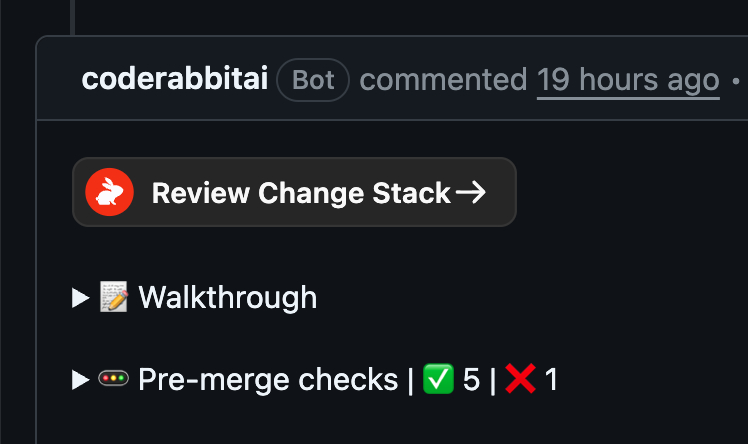 Open it from the **Review Change Stack →** button in the CodeRabbit PR comment. Comments and approvals post back to GitHub natively. Change Stack is available to all users during launch and will be part of the `Pro+` plan.
See the [Change Stack documentation](/pr-reviews/coderabbit-review) for details.
**Note:** This feature has been renamed to **CodeRabbit Review**. The documentation above reflects the current name.
Open it from the **Review Change Stack →** button in the CodeRabbit PR comment. Comments and approvals post back to GitHub natively. Change Stack is available to all users during launch and will be part of the `Pro+` plan.
See the [Change Stack documentation](/pr-reviews/coderabbit-review) for details.
**Note:** This feature has been renamed to **CodeRabbit Review**. The documentation above reflects the current name.
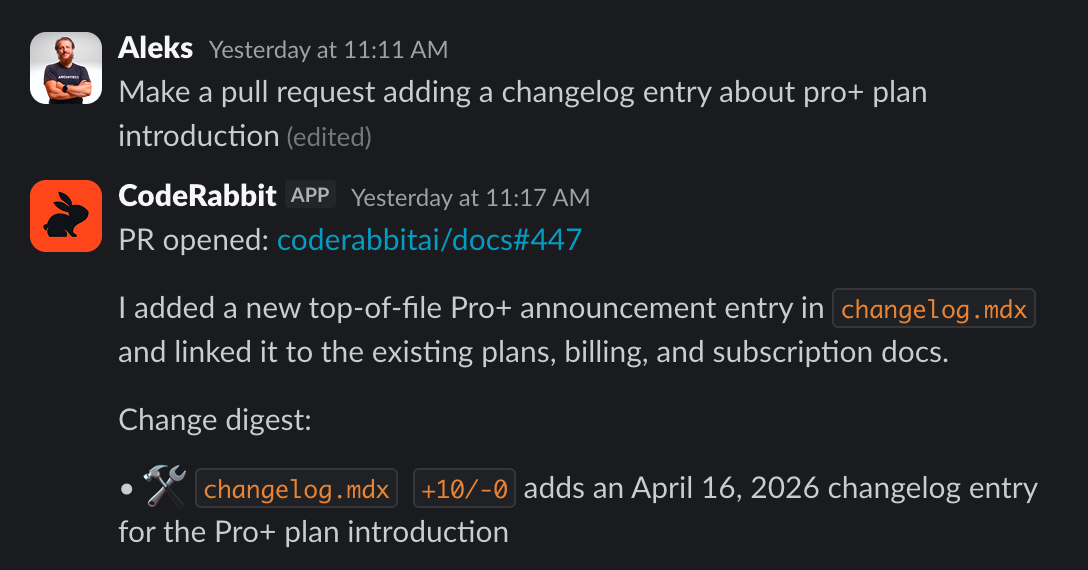 Every response runs within a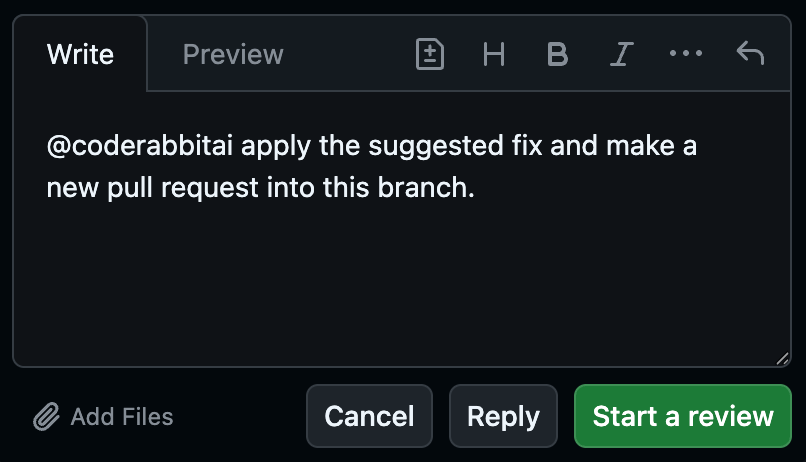
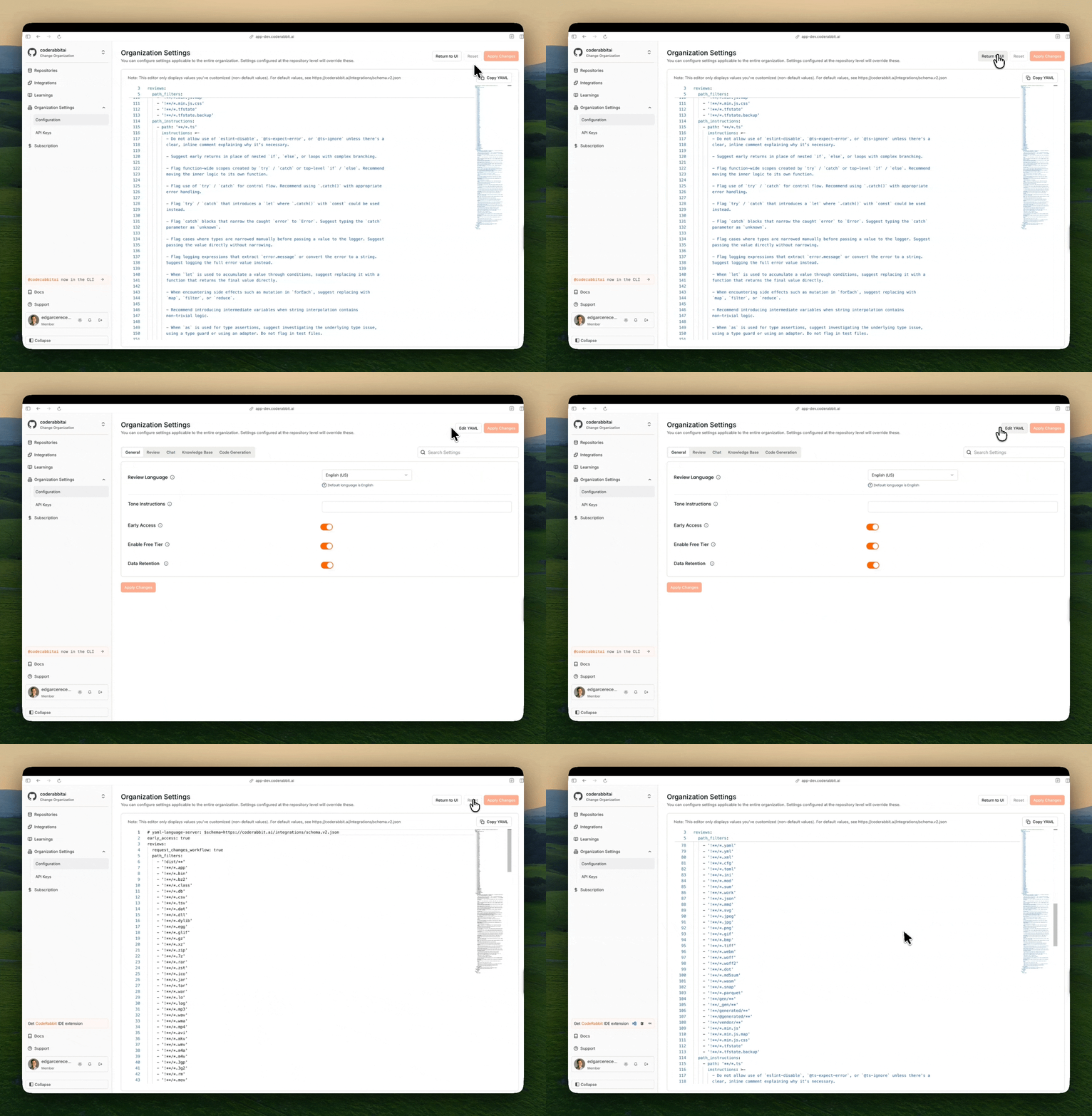 **What's new:**
* **UI Mode (default)** - Interactive form with dropdowns, checkboxes, and input fields for guided configuration
* **YAML Mode** - Direct YAML editing with syntax highlighting and real-time validation for advanced users
* **Easily switch between modes** - Use the **Edit YAML** button to switch between modes (changes to **Return to UI** when in YAML mode)
* **Real-time sync** - Changes made in either mode are immediately reflected when switching between them
* **Clean YAML output** - Only non-default values are displayed in YAML mode for cleaner configuration
* **Clipboard support** - Copy the entire YAML configuration to your clipboard for easy transfer to `.coderabbit.yaml` files
This enhancement makes it easier to manage settings whether you prefer visual forms or direct YAML editing, and ensures consistency between web interface and repository-based configurations.
See the [organization settings documentation](/guides/organization-settings) and [repository settings documentation](/guides/repository-settings) for more details.
**What's new:**
* **UI Mode (default)** - Interactive form with dropdowns, checkboxes, and input fields for guided configuration
* **YAML Mode** - Direct YAML editing with syntax highlighting and real-time validation for advanced users
* **Easily switch between modes** - Use the **Edit YAML** button to switch between modes (changes to **Return to UI** when in YAML mode)
* **Real-time sync** - Changes made in either mode are immediately reflected when switching between them
* **Clean YAML output** - Only non-default values are displayed in YAML mode for cleaner configuration
* **Clipboard support** - Copy the entire YAML configuration to your clipboard for easy transfer to `.coderabbit.yaml` files
This enhancement makes it easier to manage settings whether you prefer visual forms or direct YAML editing, and ensures consistency between web interface and repository-based configurations.
See the [organization settings documentation](/guides/organization-settings) and [repository settings documentation](/guides/repository-settings) for more details.
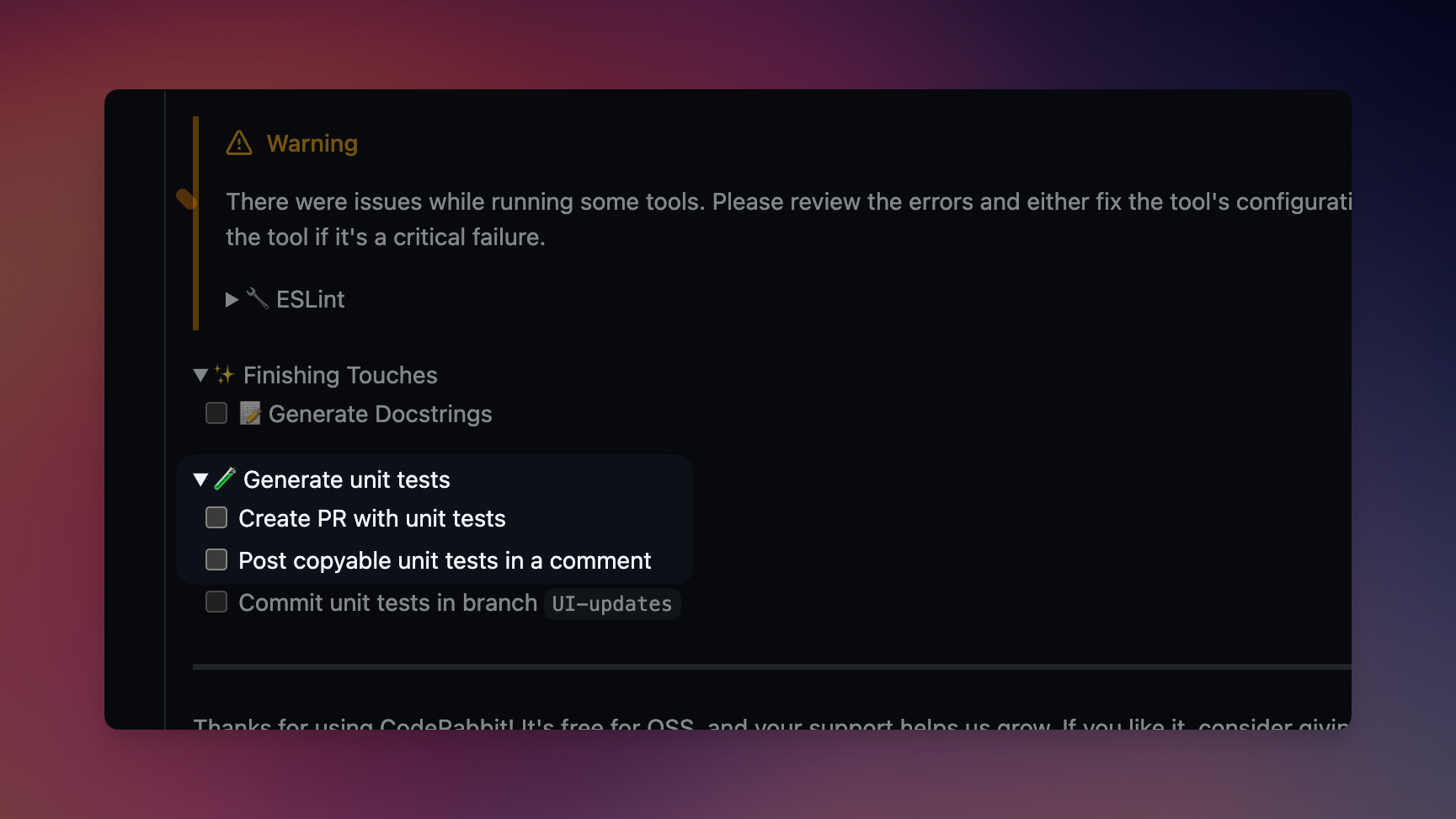 ## ⚡️ Unit Test Generation - Beta
CodeRabbit's unit test generation is now available in Beta! Automatically generate comprehensive unit tests for your code changes, ensuring better test coverage and catching edge cases you might miss. Our AI analyzes your code structure and creates tests that follow best practices and your project's testing patterns.
Learn more [here](https://docs.coderabbit.ai/finishing-touches/unit-test-generation), or just try it under ✨ Finishing Touches.
## ⚡️ Unit Test Generation - Beta
CodeRabbit's unit test generation is now available in Beta! Automatically generate comprehensive unit tests for your code changes, ensuring better test coverage and catching edge cases you might miss. Our AI analyzes your code structure and creates tests that follow best practices and your project's testing patterns.
Learn more [here](https://docs.coderabbit.ai/finishing-touches/unit-test-generation), or just try it under ✨ Finishing Touches.