> ## Documentation Index
> Fetch the complete documentation index at: https://docs.coderabbit.ai/llms.txt
> Use this file to discover all available pages before exploring further.
# Set permissions
> Learn how to grant updated permissions to CodeRabbit when new features require additional GitHub access.
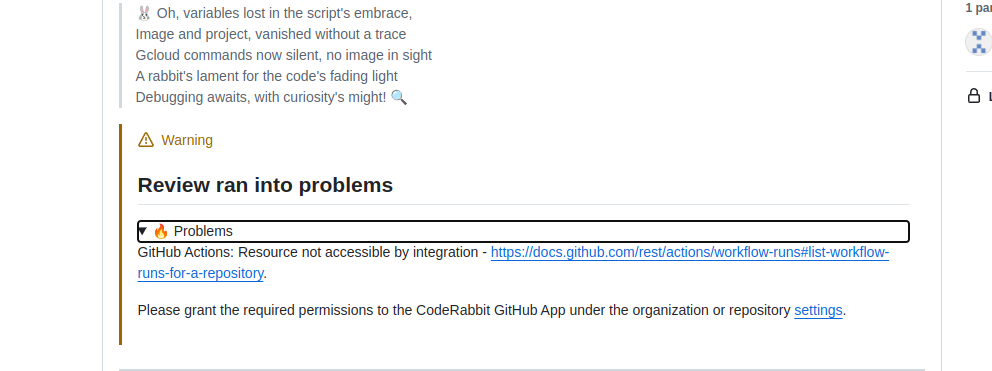
When CodeRabbit introduces new features, it may require additional GitHub permissions to function properly. If you see permission warnings or notice that certain features aren't working, follow this guide to update your permissions.
## When you need to update permissions
If you see a permission warning in CodeRabbit or notice missing functionality,
you likely need to approve updated permissions for the GitHub App.
 ## Update permissions
Go to your GitHub organization or repository settings page.
Navigate to the "GitHub Apps" or "Installed GitHub Apps" section in the
settings sidebar.
Locate CodeRabbit in the list of installed applications.
Click the "Configure" button next to CodeRabbit.
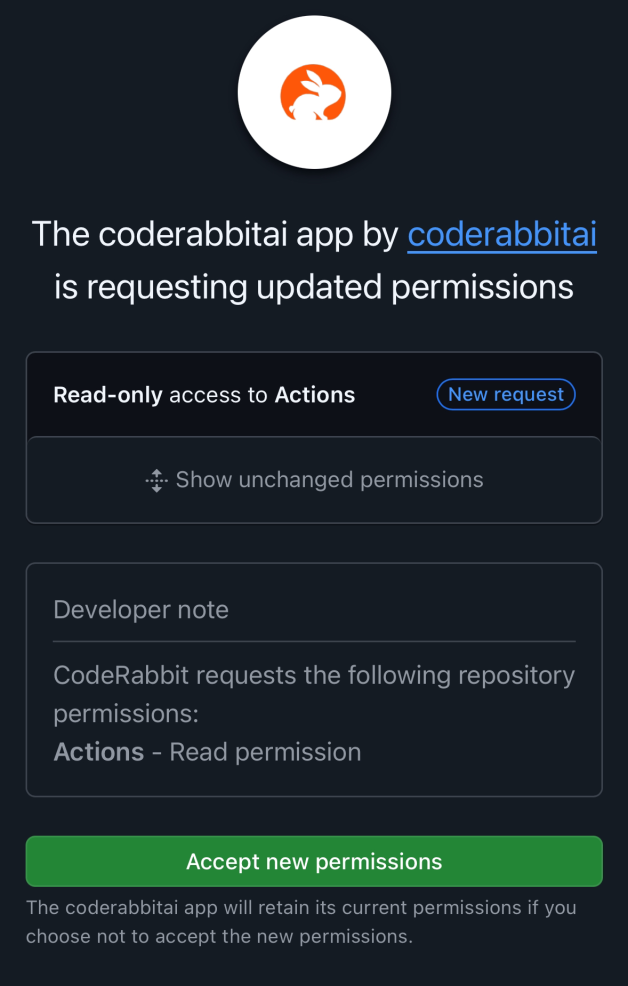
Review the new permissions being requested and click "Accept new
permissions" to approve them.
## Update permissions
Go to your GitHub organization or repository settings page.
Navigate to the "GitHub Apps" or "Installed GitHub Apps" section in the
settings sidebar.
Locate CodeRabbit in the list of installed applications.
Click the "Configure" button next to CodeRabbit.
Review the new permissions being requested and click "Accept new
permissions" to approve them. 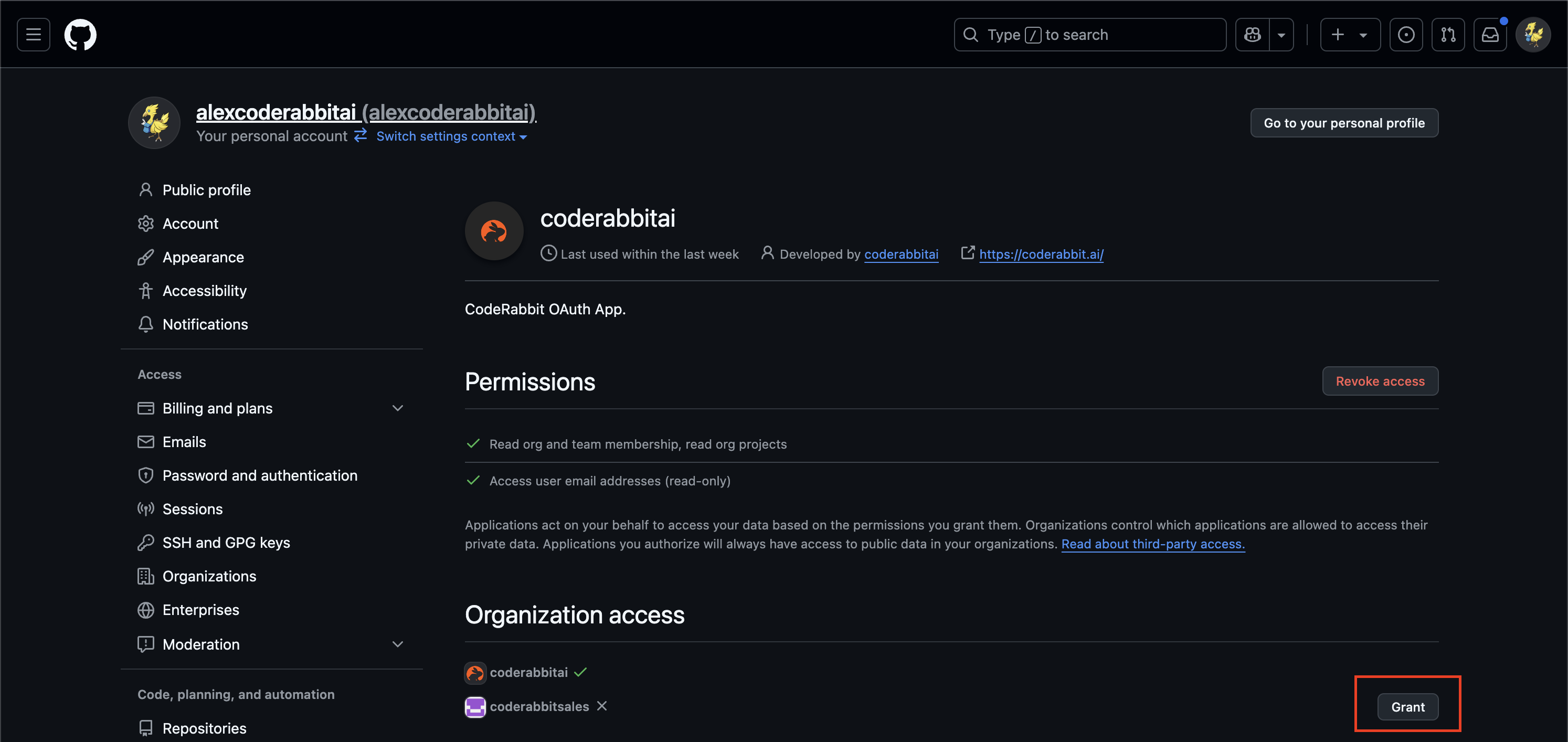
 ## Why permissions are updated
CodeRabbit may request additional permissions for several reasons:
* **New GitHub features**: Access to recently released GitHub APIs and capabilities
* **Enhanced scanning**: Deeper repository analysis and code review features
* **Workflow automation**: Improved CI/CD integration and automated processes
* **Security enhancements**: Advanced security scanning and vulnerability detection
**Not an organization admin?** If you don't have admin privileges, you'll need
to request approval from your organization administrators to update the
permissions. Share this guide with them to expedite the process.
## Troubleshooting
After updating permissions, CodeRabbit should have all the access it needs. If you continue experiencing issues:
Clear your browser cache and refresh the CodeRabbit dashboard.
Permission changes may take a few minutes to propagate across GitHub's
systems.
If problems persist, reach out to our [support
team](/support) for assistance.
**Need help?** Visit our [support page](/support) or join our
[Discord community](https://discord.gg/coderabbit) for assistance.
## Why permissions are updated
CodeRabbit may request additional permissions for several reasons:
* **New GitHub features**: Access to recently released GitHub APIs and capabilities
* **Enhanced scanning**: Deeper repository analysis and code review features
* **Workflow automation**: Improved CI/CD integration and automated processes
* **Security enhancements**: Advanced security scanning and vulnerability detection
**Not an organization admin?** If you don't have admin privileges, you'll need
to request approval from your organization administrators to update the
permissions. Share this guide with them to expedite the process.
## Troubleshooting
After updating permissions, CodeRabbit should have all the access it needs. If you continue experiencing issues:
Clear your browser cache and refresh the CodeRabbit dashboard.
Permission changes may take a few minutes to propagate across GitHub's
systems.
If problems persist, reach out to our [support
team](/support) for assistance.
**Need help?** Visit our [support page](/support) or join our
[Discord community](https://discord.gg/coderabbit) for assistance.