> ## Documentation Index
> Fetch the complete documentation index at: https://docs.coderabbit.ai/llms.txt
> Use this file to discover all available pages before exploring further.
# CodeRabbit Plan
> Turn ideas, issues, PRDs, and designs into precise Coding Plans grounded in your codebase, then hand them off to any coding agent.
export const Hint = ({type, children, headline, tip, href, cta}) => {
const TIPS = {
learnings: {
headline: "Learnings",
tip: "Review preferences CodeRabbit learns from your chat conversations and applies automatically to future reviews.",
cta: "Learn about Learnings",
href: "/knowledge-base/learnings",
content: "Learnings"
},
walkthrough: {
headline: "PR Walkthrough",
tip: "A structured comment posted by CodeRabbit at the top of every pull request, summarizing changes, sequence diagrams, review effort, and more.",
cta: "Learn about PR Walkthroughs",
href: "/pr-reviews/walkthroughs",
content: "Walkthrough"
},
"finishing-touches": {
headline: "Finishing Touches",
tip: "Post-review agentic actions (Autofix, writing docstrings or unit tests, and more) you trigger from a PR comment or a checkbox in the Walkthrough.",
cta: "See all Finishing Touches",
href: "/finishing-touches",
content: "Finishing Touches"
},
"coding-plan": {
headline: "Coding Plan",
tip: "A detailed, codebase-aware implementation plan CodeRabbit generates from an issue or description, ready to hand off to any coding agent.",
cta: "Learn about Coding Plans",
href: "/plan",
content: "Coding Plan"
},
"knowledge-base": {
headline: "Knowledge Base",
tip: "The collected context sources CodeRabbit draws on during reviews: Learnings, Code Guidelines, issue trackers, connected MCP servers, and cross-repo analysis.",
cta: "Explore the Knowledge Base",
href: "/knowledge-base",
content: "Knowledge Base"
},
"path-instructions": {
headline: "Path Instructions",
tip: "Custom review rules that only apply to files matching a glob pattern, e.g. 'src/controllers/**'.",
cta: "Configure path instructions",
href: "/configuration/path-instructions",
content: "Path Instructions"
},
"change-stack": {
headline: "Change Stack",
tip: "An improved code inspection interface that reorganizes a pull request from a flat file list into a structured, layer-by-layer walkthrough with range-specific summaries and diagrams when useful.",
cta: "Learn about Change Stack",
href: "/pr-reviews/change-stack",
content: "Change Stack"
},
scope: {
headline: "Scope",
tip: "A named set of repositories, connections, and spend limits that controls what CodeRabbit Agent can access in a given Slack conversation.",
cta: "Learn about Scopes",
href: "/slack-agent/scopes",
content: "Scope"
},
"coderabbit-agent": {
headline: "CodeRabbit Agent for Slack",
tip: "An AI agent built into Slack that investigates issues, generates implementation plans, and opens pull requests right from the Slack threads.",
cta: "Explore CodeRabbit Agent",
href: "/slack-agent",
content: "CodeRabbit Agent"
},
"configuration-inheritance": {
headline: "Configuration Inheritance",
tip: "A setting that merges configuration values across multiple levels — repository YAML, central YAML, and UI settings — instead of using only the highest-priority source.",
cta: "Learn about Configuration Inheritance",
href: "/configuration/configuration-inheritance",
content: "Configuration Inheritance"
}
};
const defaults = TIPS[type] || ({});
return
{children ?? defaults.content}
;
};
Platform Tour guides you through all major CodeRabbit features and surfaces. For the detailed documentation on CodeRabbit Plan, follow [this link](/plan).
[CodeRabbit Plan](/plan) turns your ideas into detailed, project-aware Coding Plans you can review, refine, and hand off to any coding agent. Because every plan is grounded in [deep codebase understanding](/overview/architecture) and enriched by your project [Knowledge Base](/knowledge-base), it references the right files, follows your established patterns, and produces agent-ready prompts, not generic outlines.
## 1. Create a plan
The fastest way to get started is the CodeRabbit web app. Go to [app.coderabbit.ai/plan](https://app.coderabbit.ai/plan/new), describe what you want to build in free-form text, select a repository, and click **Create plan**. The form also supports file attachments.
See the [Create a plan guide](/plan/create-plan) for the full step-by-step walkthrough.
You can generate Coding Plans directly from your issue tracker. Comment `@coderabbitai plan` on any issue, or enable auto-planning to generate plans automatically when issues match your rules.
Analyzes your repository's architecture, patterns, and existing code so
every plan fits naturally into how your project is built.
Draws on related issues, design documents, and accumulated learnings to
ground every plan in your project's broader context.
## 2. Refine
Chat with CodeRabbit to refine details, challenge design choices, or request changes. The conversation is collaborative: product owners and other team members can participate too, ensuring the plan reflects the team's knowledge.
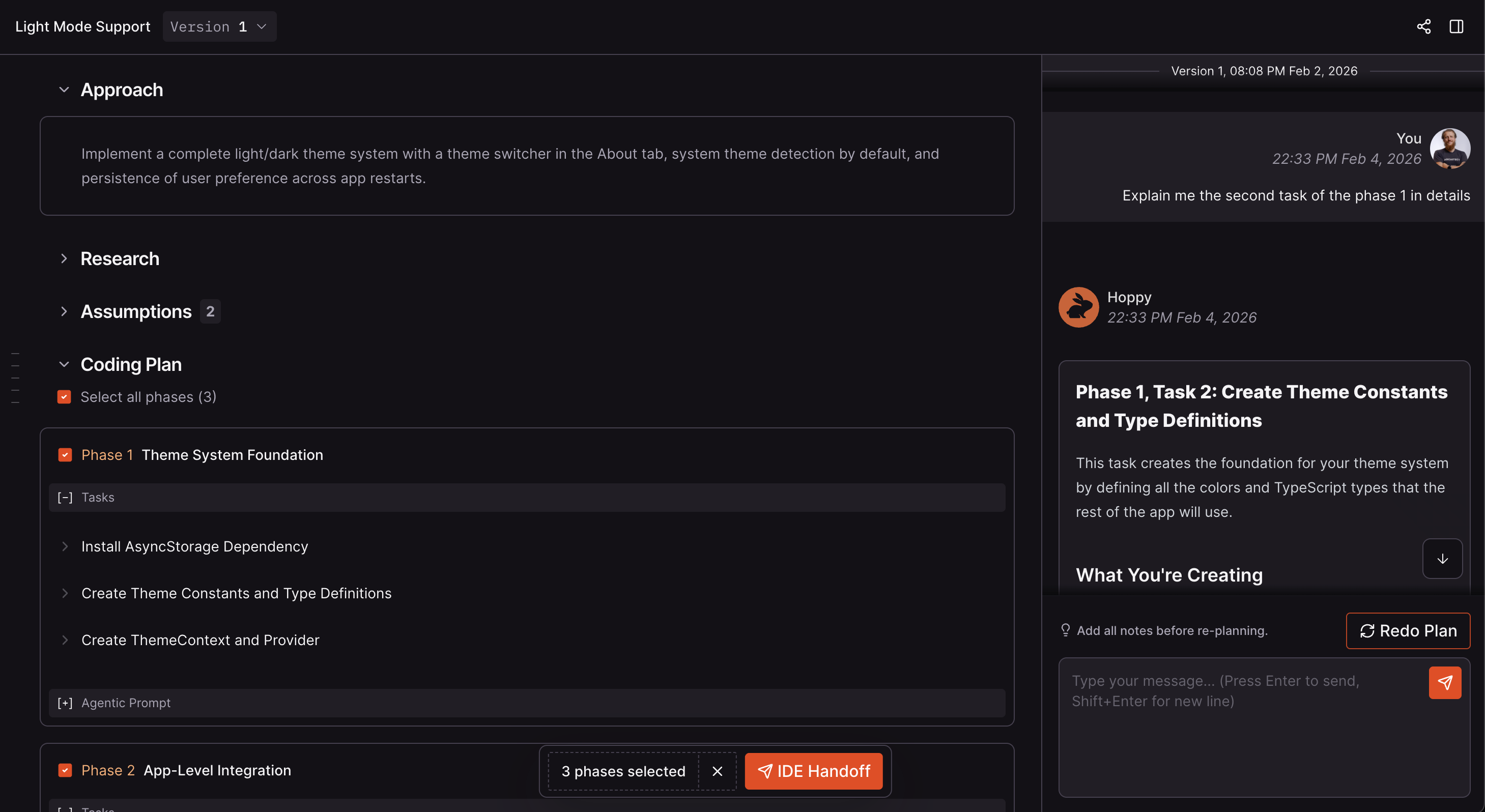
Review, tune, and adjust your Coding Plan in the CodeRabbit web app. Use the
chat panel to iterate on the plan until it's ready.
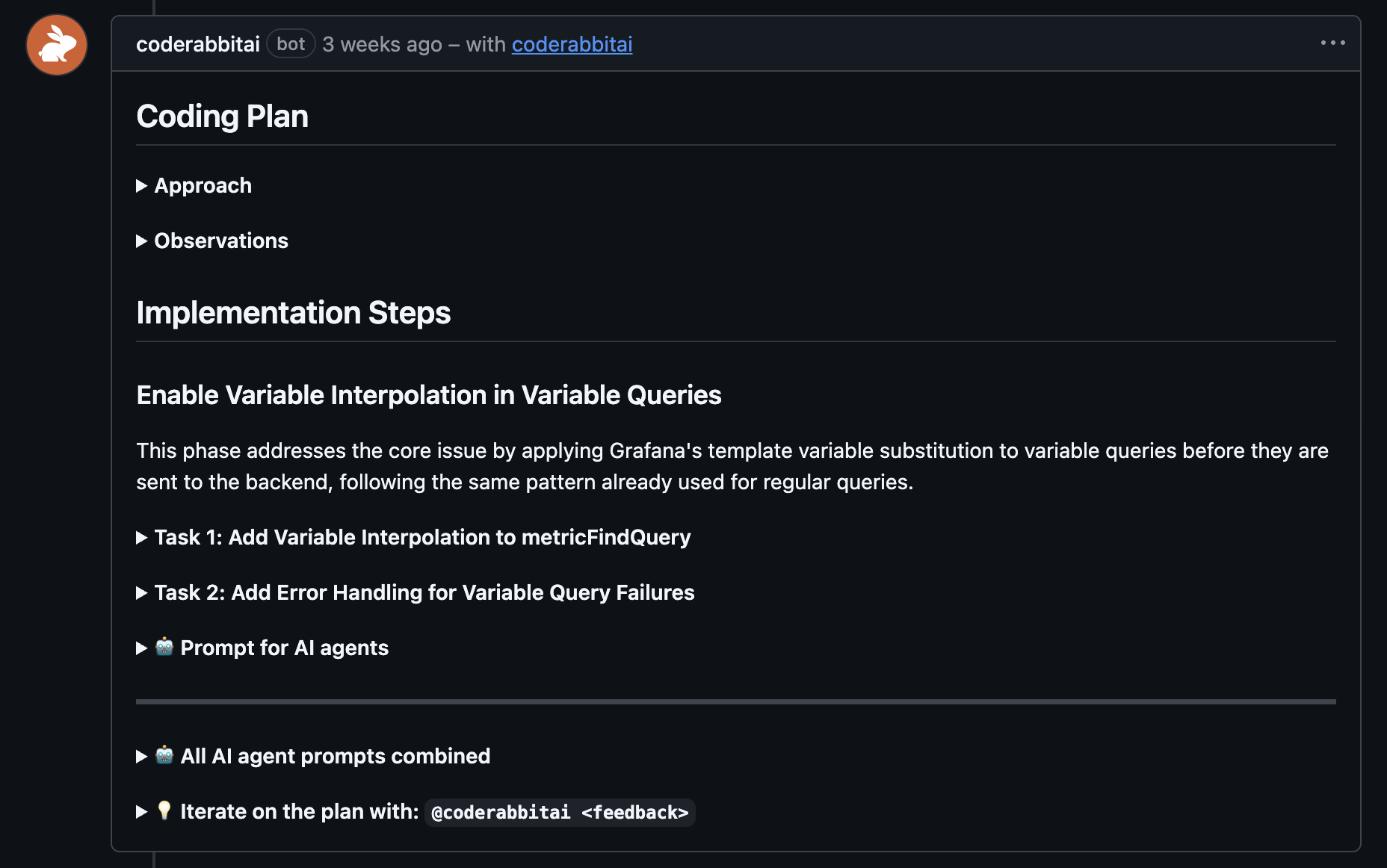
 The full Coding Plan is posted as a comment directly on the issue. Reply to
the plan comment to refine details, challenge design choices, or request
changes.
The full Coding Plan is posted as a comment directly on the issue. Reply to
the plan comment to refine details, challenge design choices, or request
changes.
Plans are available for review by engineers and product owners. Team members discuss, challenge design choices, and refine plans together.
Every plan version is preserved. Track what was planned, when it was planned, and why decisions were made.
## 3. Handoff
Once the plan reflects the team's decisions, hand off the finalized prompts to your coding agent of choice. The agent receives precise, codebase-aware instructions it can act on immediately.
Finalized plans are exported as structured, codebase-aware prompts that any coding agent can act on immediately — no reinterpretation required.
Hand off to Claude Code, Codex, Cursor, Gemini, or any other coding agent. The prompt format is agent-agnostic.
## What's next
Full documentation covering the web interface, plan structure, refinement, and Agent Handoff.
Platform-specific guides for generating Coding Plans from GitHub, GitLab, Azure DevOps, Jira, and Linear issues.
Bring AI-powered investigation, planning, and code editing into your Slack workspace.