🐰 New: Triage — a self-updating cross-repository queue that prioritizes pull requests by value and risk, so you always know what to review next. Now in beta! Explore Triage →
Bring AI-powered investigation, planning, and action into your Slack workspace with shared controls, persistent knowledge, and governed access.
CodeRabbit Agent is an AI agent for your entire SDLC right in Slack. Investigate issues, generate implementation plans, discuss requirements with colleagues, pull in context from tools like Linear or Figma, and ask CodeRabbit to open a pull request — all from the channel or thread where the conversation is already happening, or in a direct conversation through the CodeRabbit Slack app. Context carries over between messages, durable facts are saved for future conversations, and every run can be reviewed after the fact.
CodeRabbit application for Slack uses AI (Large Language Models) to generate responses, which may occasionally be inaccurate. Verify important information independently because responses do not constitute professional advice. Some features, including the AI Agent/Assistant, require a paid Slack plan and may not be available on free plans.
CodeRabbit Agent covers the full arc from investigation through implementation. Here are some of the things your team can do without leaving Slack.
Design and implement
Triage and respond
Issues and PRs
Automate tasks
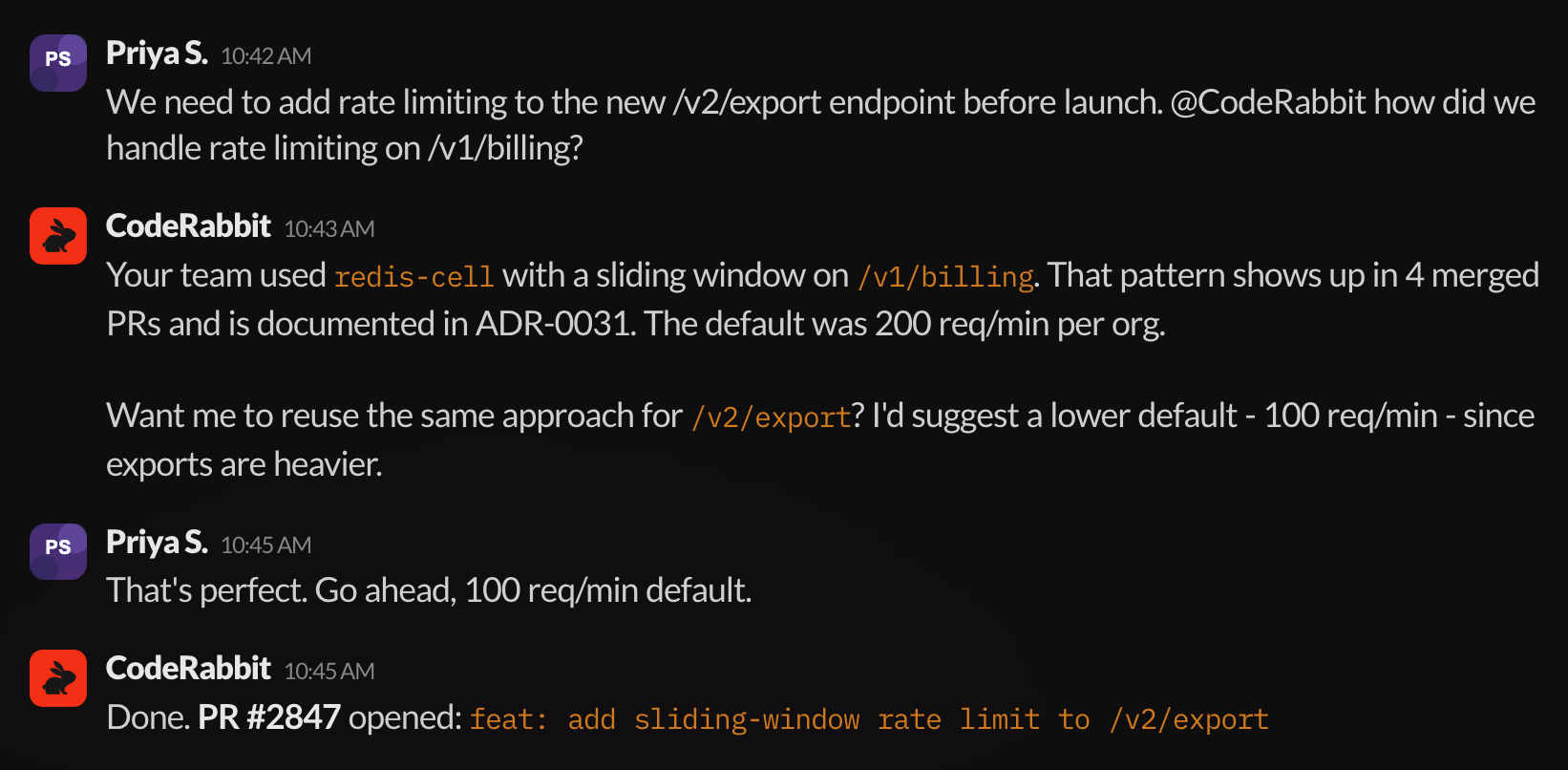
Ask the Agent to explore your codebase, review merged PRs and design documents, and surface the approach your team already follows. Once the investigation is complete, the Agent can suggest changes and open a pull request, all within the same Slack thread.
CodeRabbit Agent investigates existing codebase, suggests a configuration, and opens a pull request, all from a single Slack thread
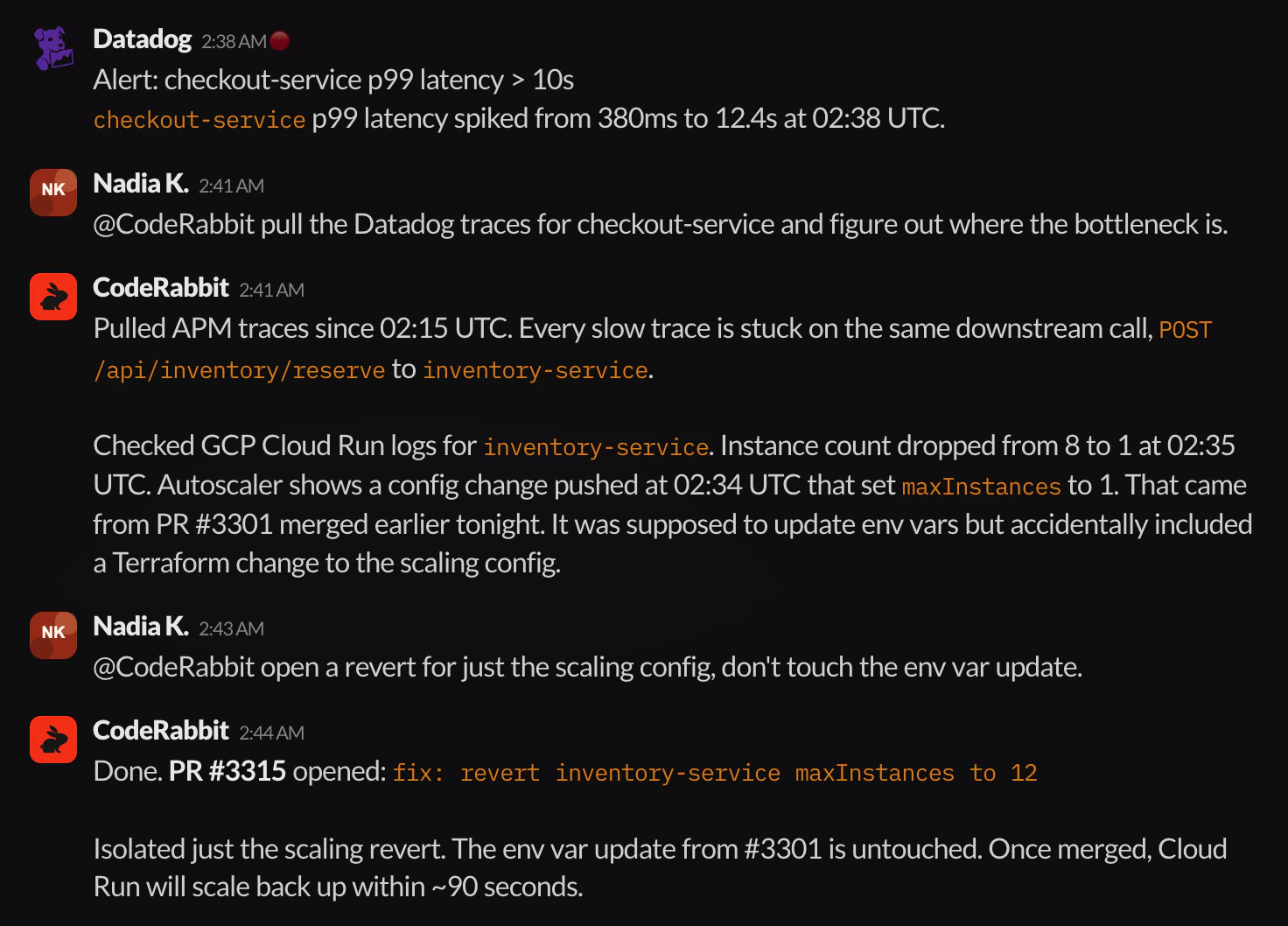
Let the Agent pull telemetry from connected tools, correlate the data with recent code changes, and pinpoint the root cause. Once the team agrees on the fix, the Agent can open a surgical revert or patch PR.
CodeRabbit Agent pulls Datadog traces, correlates a latency spike with an accidental scaling config change in a merged PR, and opens a targeted revert
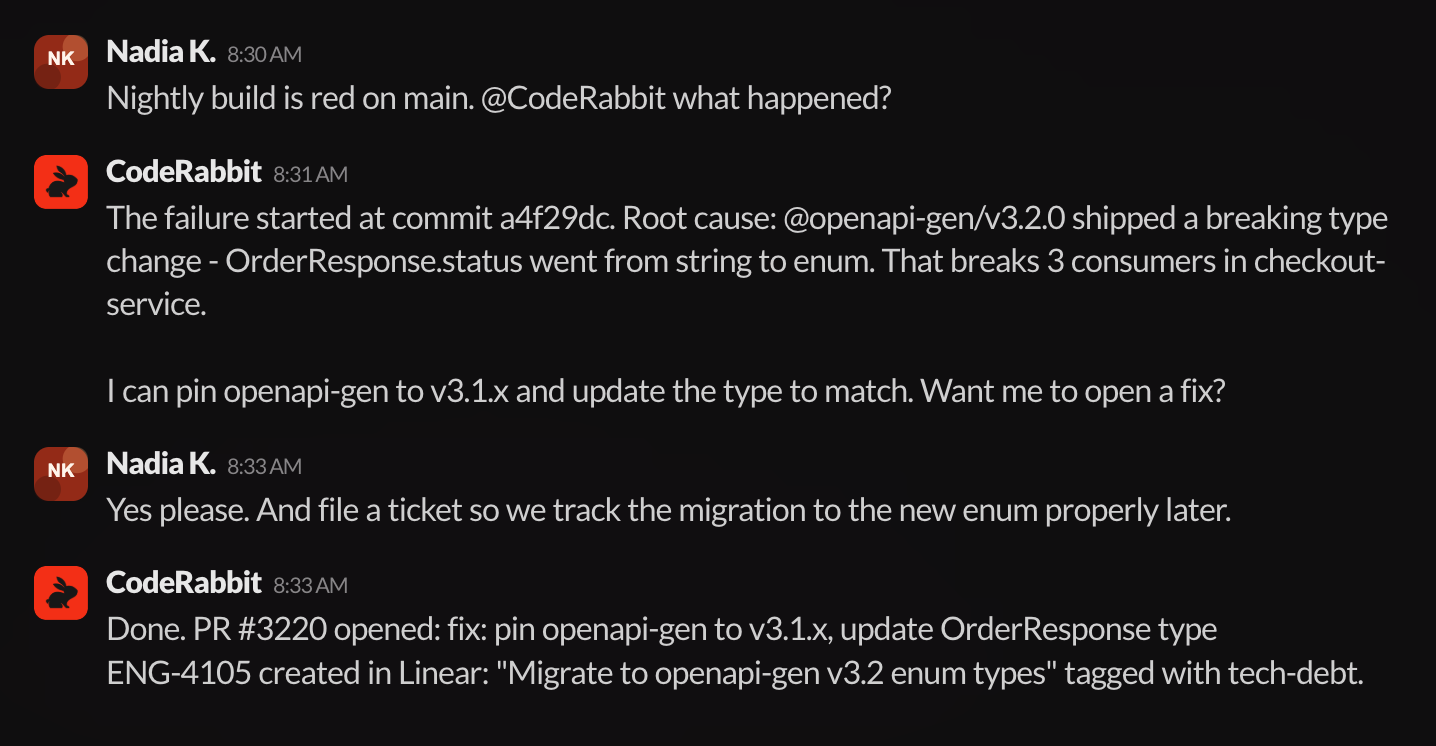
When investigation turns into action, your team can continue the discussion in a thread — referencing context from connected tools like Jira, Linear, or Notion — and then ask CodeRabbit Agent to open a pull request that incorporates the full conversation, or create issues in your connected trackers.
CodeRabbit Agent identifies a breaking dependency upgrade as the root cause of a failed nightly build, opens a fix PR, and files a Linear ticket to track the full migration
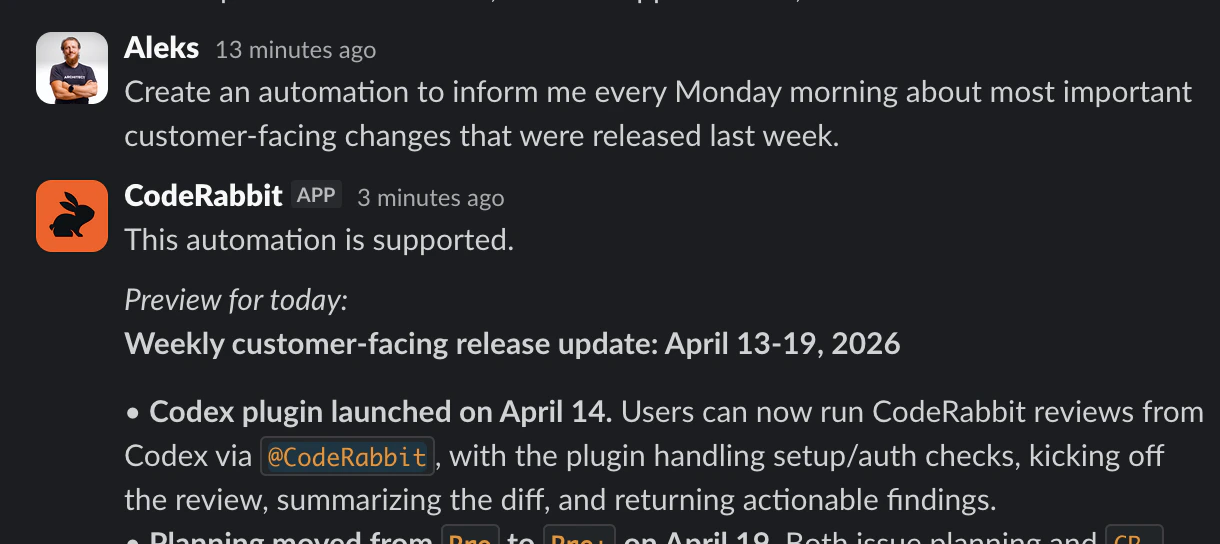
Schedule tasks that CodeRabbit Agent can run on a cadence (run this task every day) or on each new matching channel message. Message-triggered automations can watch a channel for new alerts, notices, or other repeated inputs and reply in the triggering thread.
A user creates a weekly Monday automation for customer-facing release summaries and CodeRabbit delivers a preview of the first report
Monitoring · Datadog, PostHog, Sentry, and your observability stack.
Cloud · AWS, GCP, and the infra that runs under it all.
Set up external tools and APIs through Connections.
The agent builds a Knowledge base from Slack and your systems. Decisions, fixes, and patterns are captured as they happen and refined through daily use, so it reflects how your team actually works.
Team knowledge · Org-wide know-how, shared across teams, channels, and repos.
Channel memory · Retains team-specific patterns, runbooks, and conventions.
Thread memory · Carries forward everything from the current task.
The agent works in a shared thread alongside your team. Anyone can guide, contribute, and move tasks forward. It learns from team conversations and stays aligned as work evolves.
Synchronous · The agent lives in the Slack thread.
Steerable · Redirect or expand the work mid-task.
Resumable · Stop, switch devices, come back tomorrow.
See Working in Slack for how mentions, threads, and direct conversations work day to day.
Access, knowledge, and spend, scoped to the channel and user. Every run is explainable and attributed, so you see what the agent did, for whom, and what it cost.
CodeRabbit Agent is billed separately from CodeRabbit review subscriptions. Your CodeRabbit plan covers pull request reviews, IDE and CLI reviews, and related features. CodeRabbit Agent usage is measured in agent minutes, the actual runtime each Agent run spends working, and is billed independently.Agent billing resolves to a canonical billing subject: the workspace for supported cloud providers, with an organization-level fallback when no workspace exists. Slack and Discord connected to that subject share one paid Agent entitlement and one Agent-minute pool.This means:
A CodeRabbit Pro, Pro+, or Enterprise subscription does not include Agent usage.
Agent charges are based on accumulated agent minutes, not on the number of seats or reviews in your CodeRabbit plan.
You can use Agent without a paid CodeRabbit review plan, and vice versa.
Some Agent trials include a limited Agent Minutes grant. While that grant is active, CodeRabbit Agent uses the included minutes first. When the trial grant is exhausted or expires, CodeRabbit Agent pauses new work for the workspace until an admin activates the Agent plan.During a trial, included Agent Minutes govern usage. After that, on an active Agent plan, scope spend controls set billing-period guardrails for user-started runs and automation or trigger runs.Track your agent-minute consumption from the Usage dashboard.