

- Assess each new Datadog or PagerDuty alert against recent pull requests and deploys, and suggest the next step.
- Investigate each new Linear, Jira, or GitHub issue and comment with the likely cause and a suggested fix.
- Implement a fix and open a pull request when an issue gets a label.
- Post a weekly summary of customer-visible changes to a Slack channel.
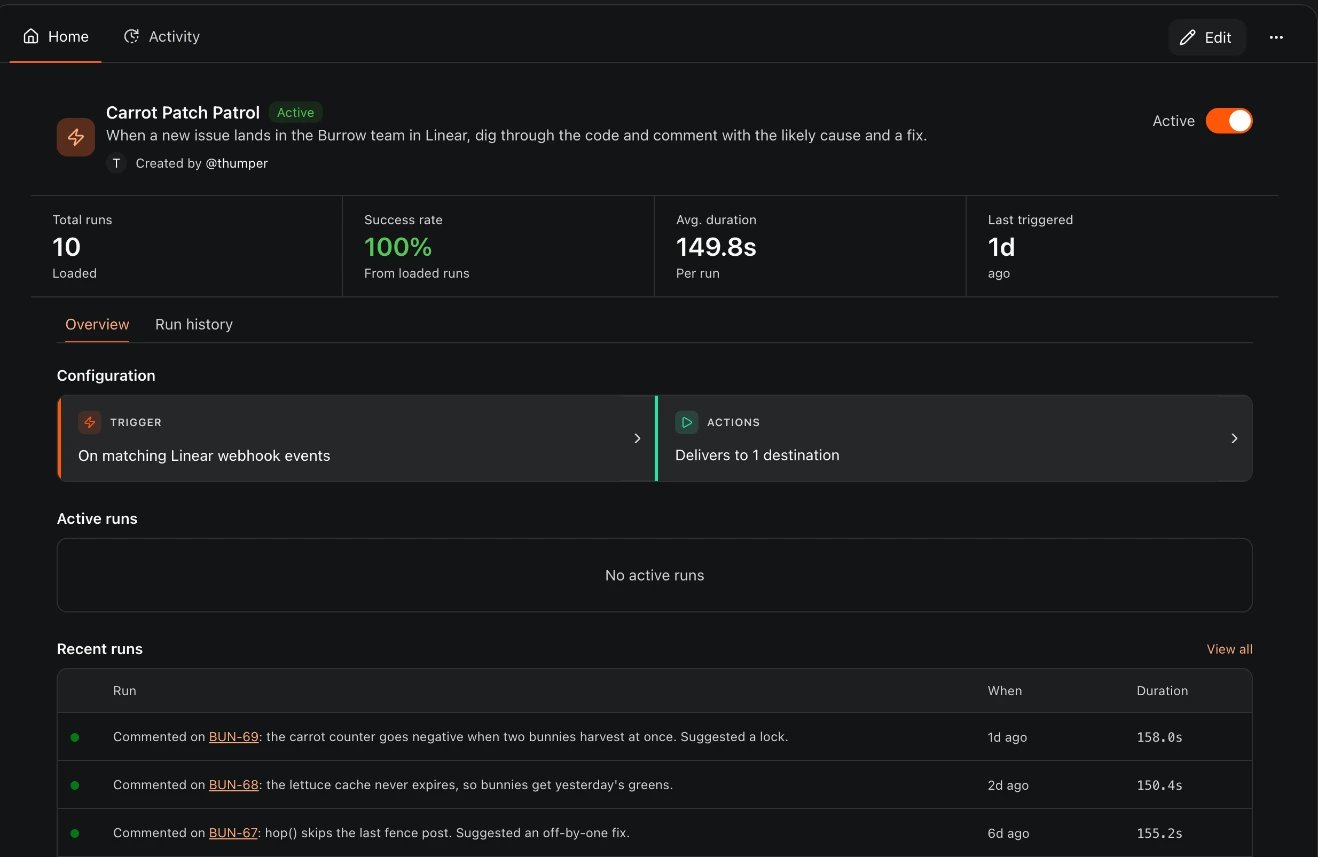
An example automation: a Linear webhook trigger, one destination, and what each run posted
How an automation works
Every automation has three parts, which match the three cards in the automation editor:
When the trigger fires, CodeRabbit starts a run, follows the instructions, and delivers the result. You can follow each run on the automation’s page and in Automations > Activity. See Manage and monitor automations.
Where you can create automations
All surfaces save to the same list. An automation created in Slack or Discord shows up in the web app, and you can edit it there, except one-time automations.
Examples
- Scheduled check
- Message triggered
- Webhook triggered
A platform team wants a daily report of new dependency vulnerabilities on the main branch. An engineer creates an automation in the web app with a Scheduled trigger that runs every weekday at 9:00 in the team’s timezone, and these agent instructions:The destination is the
#platform-eng Slack channel. After saving the automation as active, the engineer selects Run now to check the output right away. From then on, a fresh thread with the results appears in the channel each weekday morning.Who can use Automations
Automations aren’t part of a CodeRabbit plan. An Essentials, Team, Advanced, or Enterprise subscription neither includes nor blocks them: runs are billed separately as Agent minutes, like the rest of CodeRabbit Agent.
The Automations Agent usage card at the top of the Automations page shows whether automations without a Slack or Discord destination can run. When they can’t, it says why, such as billing not set up, an expired trial, or a reached spend cap, and Go to billing opens Billing > Plans & products. Until then, these automations can’t be created or resumed, and their runs are recorded as failed. To cap spend for one team or channel, see Spend limits.
Automations and similar features
Other CodeRabbit features also run work automatically. They are configured separately:What’s next
Create and edit automations
Build your first automation in the web app, from chat, or with the API.
Automation triggers
Choose between schedules, channel messages, and webhook events from 12 providers.
Automation guides
Set up incident response, support triage, ticket triage, and more, step by step.