

Review a pull request
Every CodeRabbit review comment carries a Review Change Stack → button above the walkthrough. You can also open Change Stack from Triage or from a link a teammate shares.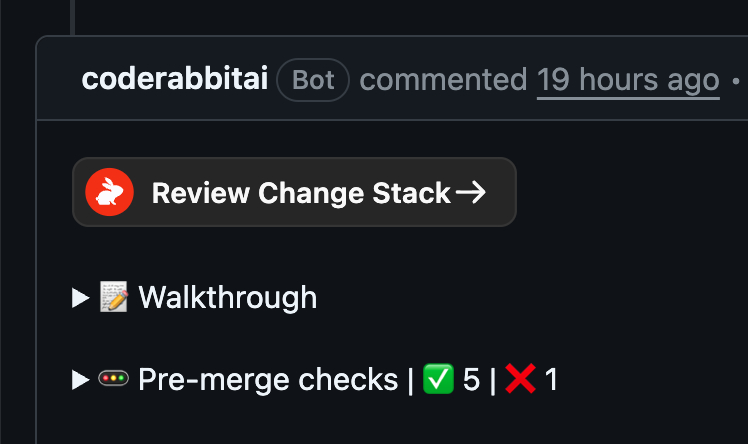
The "Review Change Stack →" button in a CodeRabbit review comment
1
Open the overview
Start with Overview to see the change summary, merge readiness, and items that need your attention.
2
Choose how to move through the change
Use the layer rail for the intended reading order or switch to the file view when you already know where to look. See Navigate a change.
3
Read the changes and findings
Inspect the relevant diffs, then use Needs your attention and the finding filters to decide what matters. See Read changes and Understand findings.
4
Ask for context when you need it
Open chat from a layer, file, or range to ask about the code in front of you. See Ask about the change.
5
Finish the review
Comment, submit your review, apply an eligible suggestion, or merge when your provider supports the action. See Review and merge and Provider support.
How a change is structured
Change Stack builds the pull request into a stack of numbered layers. A layer is a checkpoint in the change — a coherent step, with the files and review context that belong to it. Inside a layer are the changed files, and inside those are ranges: spans of source lines that carry a summary, a finding, or a review anchor. The range is the level that makes the rest work. Because summaries and findings attach to source spans rather than to whole files, Change Stack can put a summary beside the lines it describes, jump from a finding on a dependency graph to the code that produced it, and tell you whether that finding is still open three pushes later.How the layers are chosen
CodeRabbit reads the change and groups it, rather than splitting it by file or folder. A layer is meant to be a step a developer would recognize — a contract and the code that implements it and the tests that cover it belong in one layer, not three — and the layers are numbered in the order someone would explain the change, which is roughly the order it was built rather than commit order or diff order. Where one layer genuinely depends on another, that relationship is recorded rather than inferred from the numbering. Two consequences are worth knowing. File and directory boundaries are treated as evidence, not as rules, so a layer can span directories and a single directory can split across layers. And because the grouping is produced by a model as part of the review, it is fixed for a given snapshot but can legitimately come out differently when a later review run regenerates it — CodeRabbit is asked to keep titles and ordering that still hold, not guaranteed to.Change Stack shows CodeRabbit’s review scope, not necessarily every file on the pull request. Files excluded by default ignore rules or by configured path filters do not appear in layers or file counts.
What you read is a snapshot; what you act on is live
This is the one idea worth carrying into every other page. Change Stack displays a snapshot — one completed review run against one head commit — and keeps earlier snapshots rather than replacing them. Everything you read comes from the snapshot you have open. Everything you do — submitting a review, applying a suggestion, merging — targets the live pull request as it exists right now. Those two things diverge the moment someone pushes. That gap is not an implementation detail leaking through; it is the reason the merge control refuses a stale artifact, the reason a chat thread keeps answering about the change as it stood when you opened it, and the reason a link you paste into a review thread may show your colleague a different snapshot next week. Snapshots and freshness covers it in full, including which capabilities are pinned and which are live.Availability
Change Stack is on by default. There is no plan to upgrade to and no flag to switch on — if CodeRabbit reviews your pull requests, the artifact is generated and the button is there. Being enabled is not a promise that every artifact is complete: a generation step can fail or still be running, and Change Stack says so rather than presenting a thin result as a finished one. It is supported on GitHub, GitLab, Bitbucket, and Azure DevOps, and self-hosted GitHub, GitLab, and Azure DevOps instances count as their cloud counterparts. A small number of Azure DevOps organizations are excluded from it; if the button never appears for your organization on Azure DevOps, that is the reason. The interface labels Change Stack a preview. It is on for everyone, and it is still changing. Two capabilities inside Change Stack carry their own gates rather than following the feature: chat is offered when your organization’s plan enables it, and Coding Agent tasks are offered when your plan, your repository write access, and the provider connection all allow it. You can have one without the other.The rest of this section
Navigate a change
Move between views, layers, and files; search the artifact; track what you have read; and share a link that points where you mean.
Read changes
Semantic and line diffs, context expansion, blame, Code Peek, rendered diffs for prose and images, and the appearance settings that persist.
Understand findings
What each finding label means, what needs your attention first, how merge readiness is assessed, and how findings resolve across review runs.
Review and merge
Write a review under your own provider identity, apply suggestions, and merge or enqueue the pull request.
Ask about the change
Put questions to CodeRabbit about the layer, file, or range in front of you.
Collaborate in Slack and Discord
Carry a review into a chat destination and keep it fed with pull-request events.
Snapshots and freshness
Which review run you are reading, when to move to a newer one, and exactly what is pinned versus live.
Provider support
What GitHub, GitLab, Bitbucket, and Azure DevOps each offer, and where they differ.
What’s next
PR Walkthroughs
See how the walkthrough comment structures every review and feeds the layer summaries in Change Stack.
Triage
Prioritize your pull request queue and open the changes that need attention directly in Change Stack.