

What is the PR summary
CodeRabbit appends a generated summary to the bottom of the PR description after a review. The summary groups changes by type — new features, bug fixes, documentation updates, and so on — so reviewers can quickly understand the scope of a PR before diving into individual files.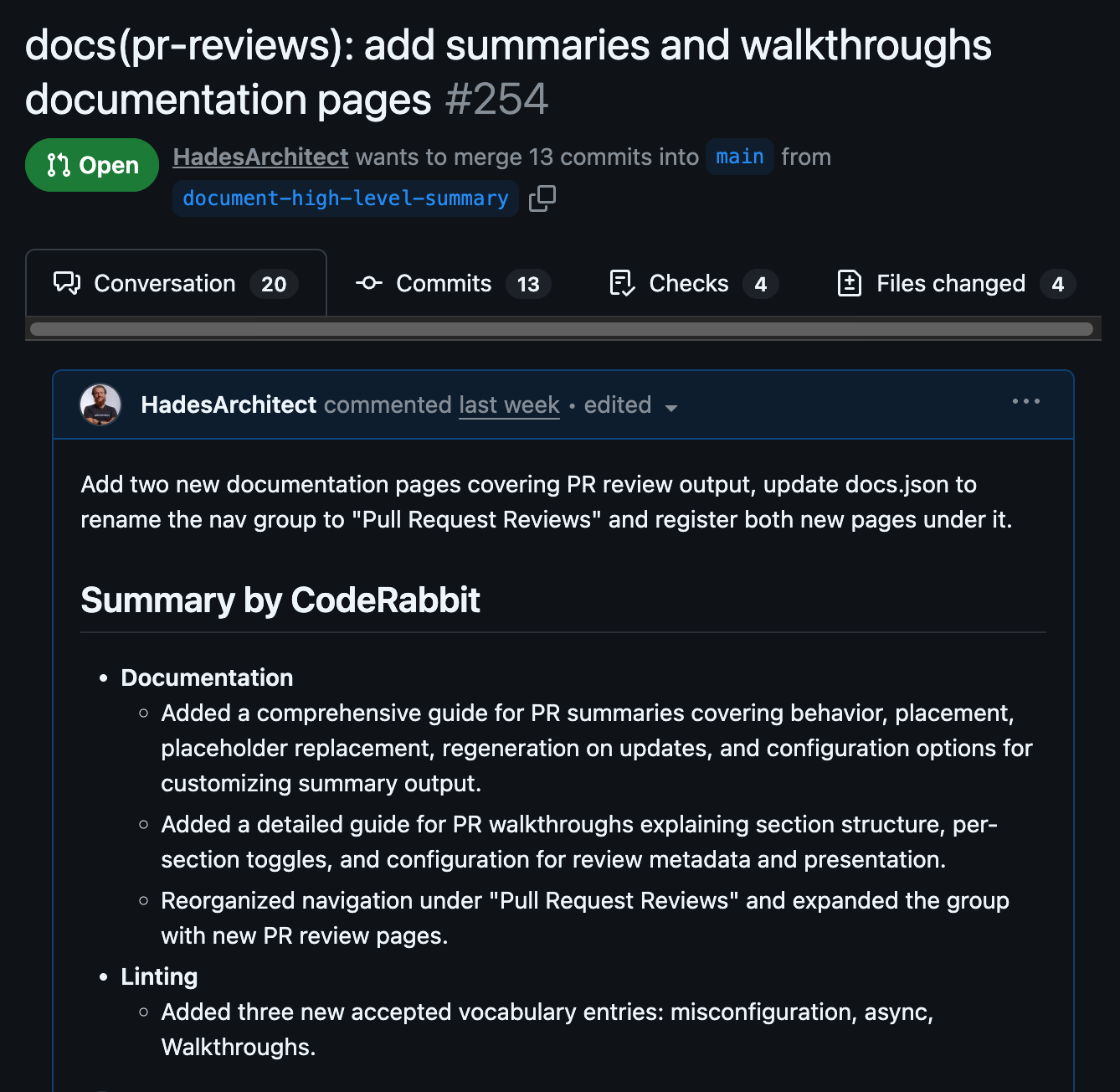
A generated PR summary appended to the pull request description, grouping changes by type
Controlling placement
By default the summary is appended to the bottom of the description. You can pin it to a specific location by adding a@coderabbitai summary placeholder anywhere in the description:
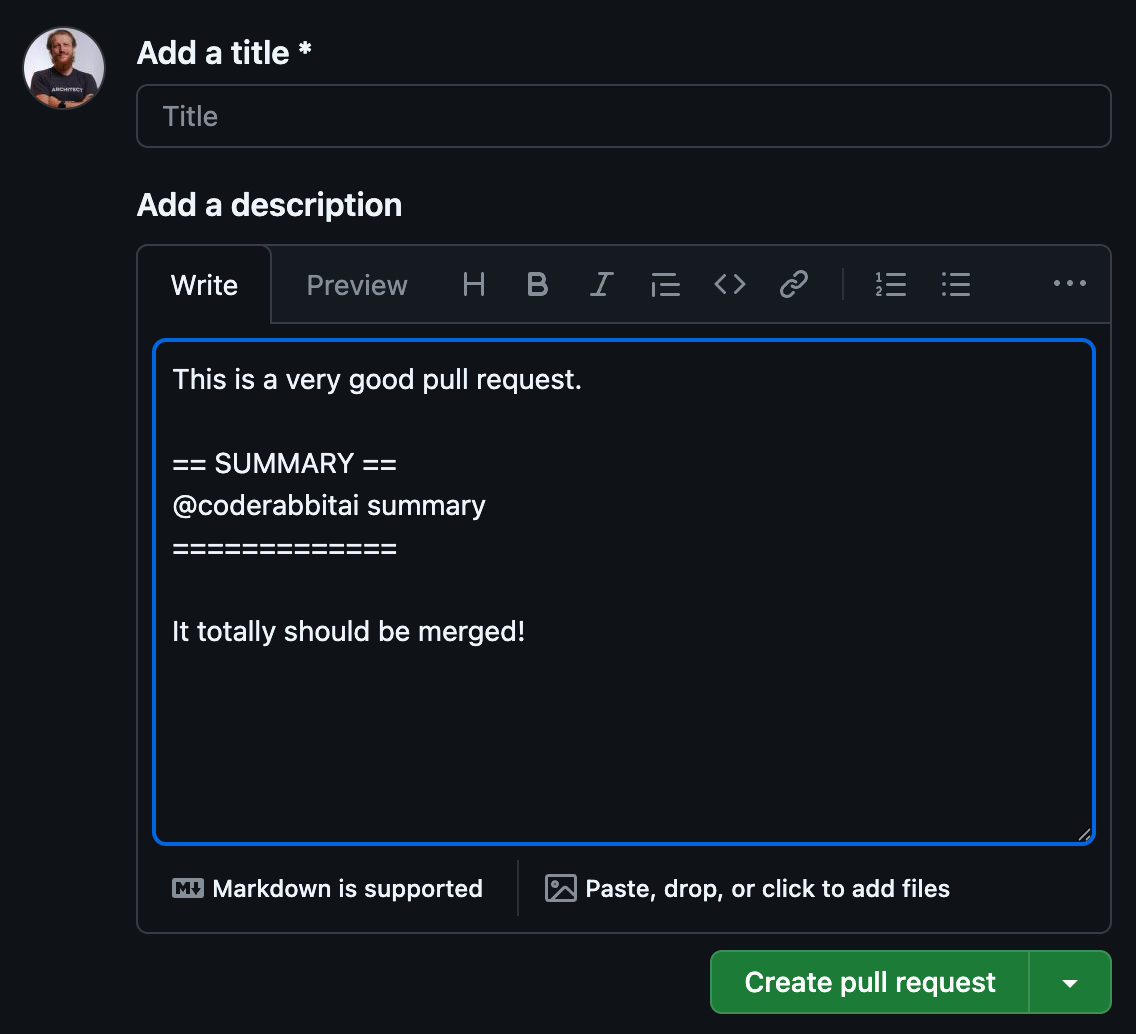
A PR description containing the @coderabbitai summary placeholder, which CodeRabbit replaces with the generated summary after review
high_level_summary_placeholder and defaults to @coderabbitai summary.
Customizing the summary
The recommended way to configure summary settings is via the
.coderabbit.yaml file. You can also adjust them through the CodeRabbit web interface at Configuration → Reviews → Summary.high_level_summary_instructions accepts free-form text that tells CodeRabbit what to include and how to structure the summary. CodeRabbit follows these instructions on every review.
Moving the summary to the walkthrough
To keep your PR description clean and consolidate all CodeRabbit output in one place, sethigh_level_summary_in_walkthrough to true. The summary will appear at the top of the walkthrough comment instead of the description.
.coderabbit.yaml
Disabling the summary
Sethigh_level_summary to false to stop CodeRabbit from writing a summary.
.coderabbit.yaml
When
high_level_summary is false, the summary is still generated and inserted if the @coderabbitai summary placeholder is present in the description. The setting only suppresses the automatic append behaviour.What’s next
Triage
Prioritize your PR queue by value and risk, using each pull request’s summary to judge scope at a glance.
PR Walkthroughs
Read the review sections CodeRabbit posts alongside inline comments and the summary.
Change Stack
Inspect the pull request in logical cohorts and layers after choosing it in Triage.