

If your team already has coding guidelines and standards documented, point CodeRabbit to them using Code Guidelines.
Path instructions
Add custom review instructions for specific file paths using glob patterns. Instructions let you tell CodeRabbit exactly what to focus on for any part of the codebase.Configure path instructions
- Configuration file
- Web UI
.coderabbit.yaml
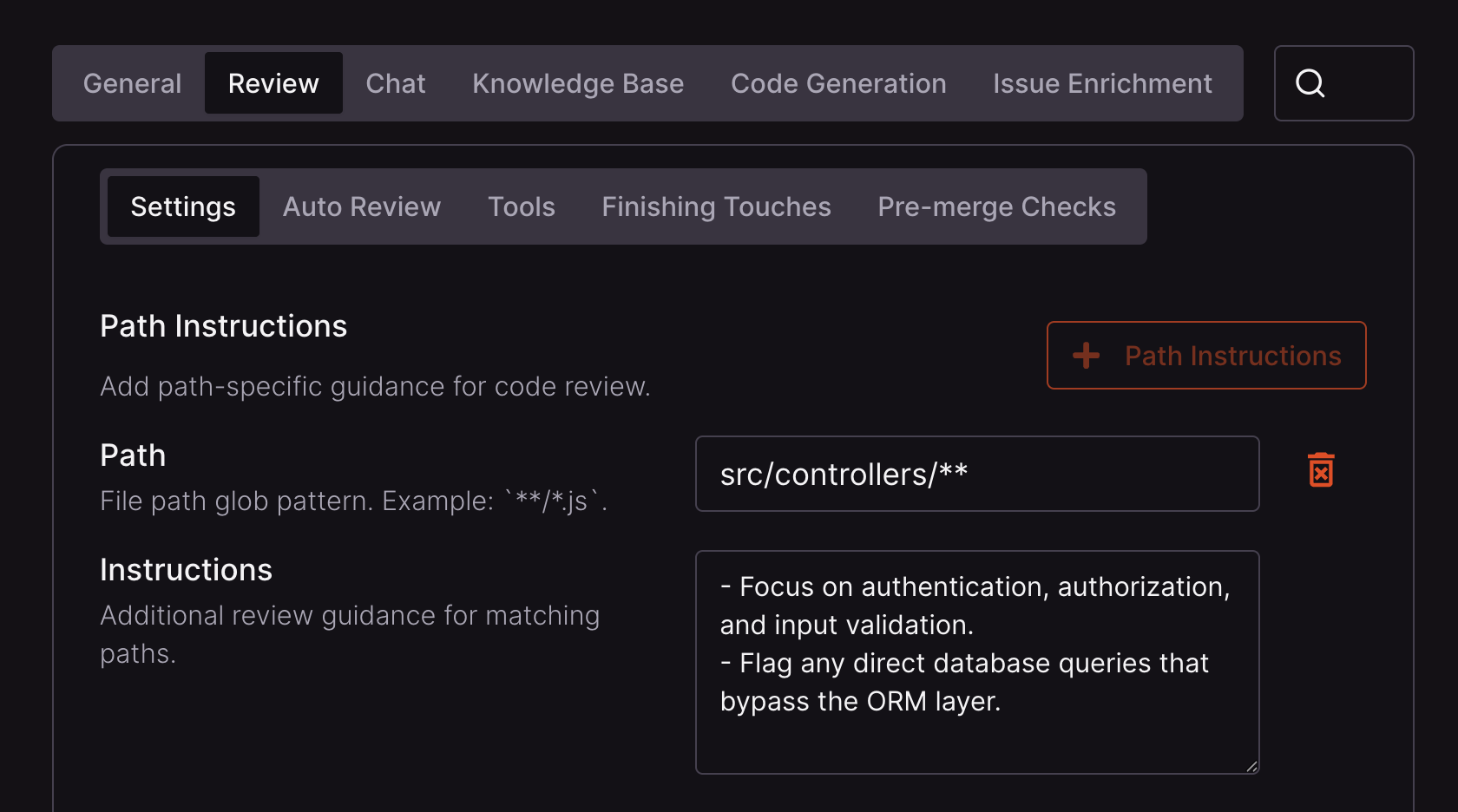
Paths accept glob patterns. See the minimatch documentation for more information.
When to add path instructions
CodeRabbit’s built-in review logic covers a wide range of issues by default. Path instructions work best as a targeted supplement, not a replacement.- Observe a few reviews first. If something is consistently missed or needs to be applied differently for a specific part of the codebase, that’s a good candidate for a path instruction.
-
When you identify a gap, consider which mechanism fits best:
- Path instructions — rules scoped to specific files or directories in CodeRabbit’s review.
- Code guidelines — existing standards documents (like
AGENTS.mdor.cursorrules) that CodeRabbit picks up automatically, and that also benefit AI coding agents. - Custom checks — pass/fail conditions you define that run as part of every review.
After CodeRabbit has reviewed several pull requests, it may have accumulated path-instruction suggestions. Post
@coderabbitai emit path instructions as a PR comment to collect suggestions from the past 7 days and open a pull request that merges them into your .coderabbit.yaml without overwriting existing entries. See the command reference for details.Path filters
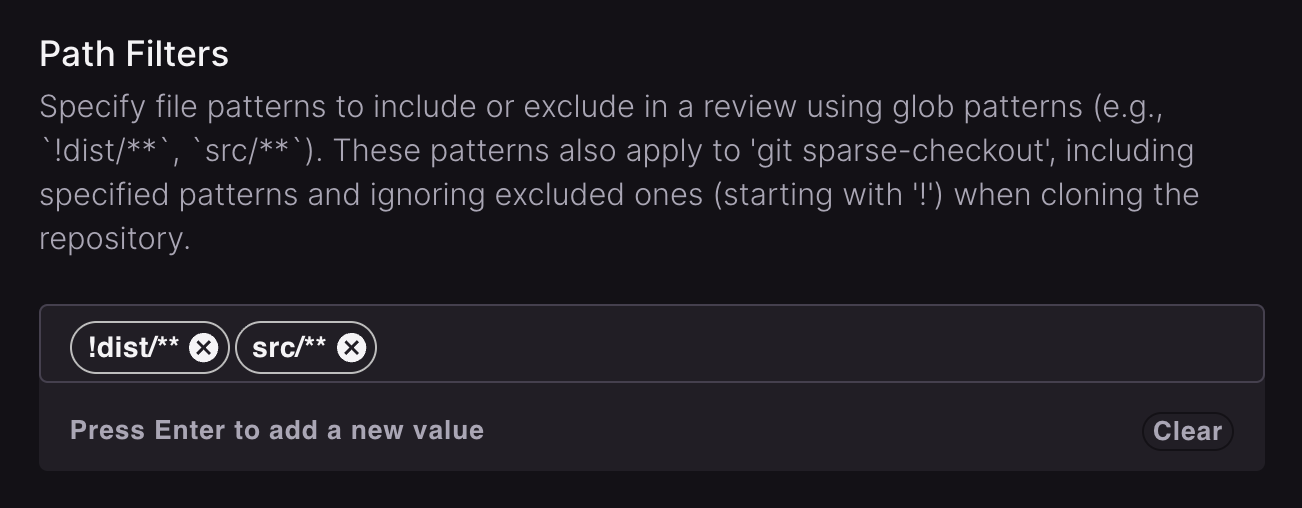
Path filters control which files CodeRabbit includes or excludes from review. Excluding irrelevant files, such as lock files, binaries, and generated code, keeps reviews focused and fast. CodeRabbit ships with sensible defaults, but you can extend the ignore list with your own patterns, or override defaults to force-include paths that would otherwise be skipped.Configure path filters
Patterns prefixed with! exclude paths from review (for example, !src/generated/** skips generated code). Patterns without ! include paths.
Path filters define CodeRabbit’s review scope. Files excluded here, or skipped by the default ignored paths below, do not appear in CodeRabbit review surfaces such as the walkthrough or Change Stack. GitHub can still show those files in the pull request’s full file list.
- Configuration file
- Web UI
.coderabbit.yaml
How path filters combine
Path filters also influence repository checkout. Git’s sparse-checkout rules differ from review matching, so tools may see a different file set.
Default ignored paths
CodeRabbit skips the paths below by default. To override one, copy its exact pattern without the leading!, for example **/*.tsv. Broad patterns such as src/** do not override defaults. On Azure DevOps, repository inventory and diff hydration apply these defaults directly rather than through your configured filters, so an override does not take effect on those two paths.
Reviews from the IDE extension apply this list too, after the extension’s own built-in exclusions.
Default ignored paths
Default ignored paths
Build and dependency directories
Build and dependency directories
Lock files
Lock files
Generated code
Generated code
Binary and compiled files
Binary and compiled files
Archives and compressed files
Archives and compressed files
Media files
Media files
Images and fonts
Images and fonts
Documents and data files
Documents and data files
Development and system files
Development and system files
Game and 3D assets
Game and 3D assets
Python-specific files
Python-specific files
Go-specific files
Go-specific files
Terraform files
Terraform files
Xcode-specific files
Xcode-specific files
Minified files
Minified files
Bundler output with content hashes
Bundler output with content hashes
Bundlers write production assets with a content hash in the filename, often outside
dist/ and not minified enough to match !**/*.min.js. These patterns match that shape. The eight-character class is the hash itself: it is the URL-safe alphabet (letters, digits, - and _) that Rollup and Vite use by default, spelled out because glob patterns have no repetition syntax. Path matching is case-insensitive, so the lowercase a-z in each class covers uppercase hash characters too: assets/index-DUKDdC5R.js matches.Because the hash width is part of the pattern, a hand-written file is normally unaffected: assets/index-page.js and src/editor.chunk.js are still reviewed. A hand-written name whose segment happens to be exactly eight of those characters would be skipped; if that applies to you, override the rule as shown below.To review these files anyway, copy the pattern into your
path_filters without the leading !, exactly as written above. As with every default rule, that override does not reach Azure DevOps repository inventory and diff hydration, which apply the defaults directly. Any file a default rule skips is also listed in the review’s ignored-files summary, so you can see what was left out.What’s next
AST-based instructions
Write review instructions using ast-grep rules for precise, syntax-aware review instructions.
Code guidelines
Point CodeRabbit to your existing coding standards documents:
AGENTS.md, .cursorrules, and similar files.Custom checks
Define pass/fail conditions that run as part of every review to enforce your team’s standards automatically.