Integrate CodeRabbit into a GitHub repository that you own
2
>>> Observe CodeRabbit perform a code review of a pull request that you initiate
3
Converse with CodeRabbit about the code review
4
Prompt CodeRabbit to generate its own improvements to the pull request
Create a pull request
Now that CodeRabbit is integrated with your repository, it’s time to see it in action. You’ll create a pull request with intentionally imperfect code to demonstrate how CodeRabbit identifies issues and provides actionable feedback. The following steps guide you through creating a pull request that adds a small Python library with a few common code quality issues. Use your usual Git workflow to perform the following steps in thecoderabbit-test repository:
1
Create a branch
Create a branch named
add-utils.2
Create a new file
In that new
add-utils branch, create a new file called simple_utils.py, with the following content:3
Commit the file
Commit the added file to the
add-utils branch. Use any text you want for the commit message.4
Create a pull request
Create a pull request that proposes to merge the
add-utils branch into the main branch. Use any text you want for the pull request message.@coderabbitai GitHub account. It performs the following actions, all of which are visible on the pull request’s page on GitHub:
- If you didn’t write a pull request summary, then CodeRabbit adds a new summary to the pull request.
- CodeRabbit posts a comment titled containing analysis and commentary about the content of the pull request.
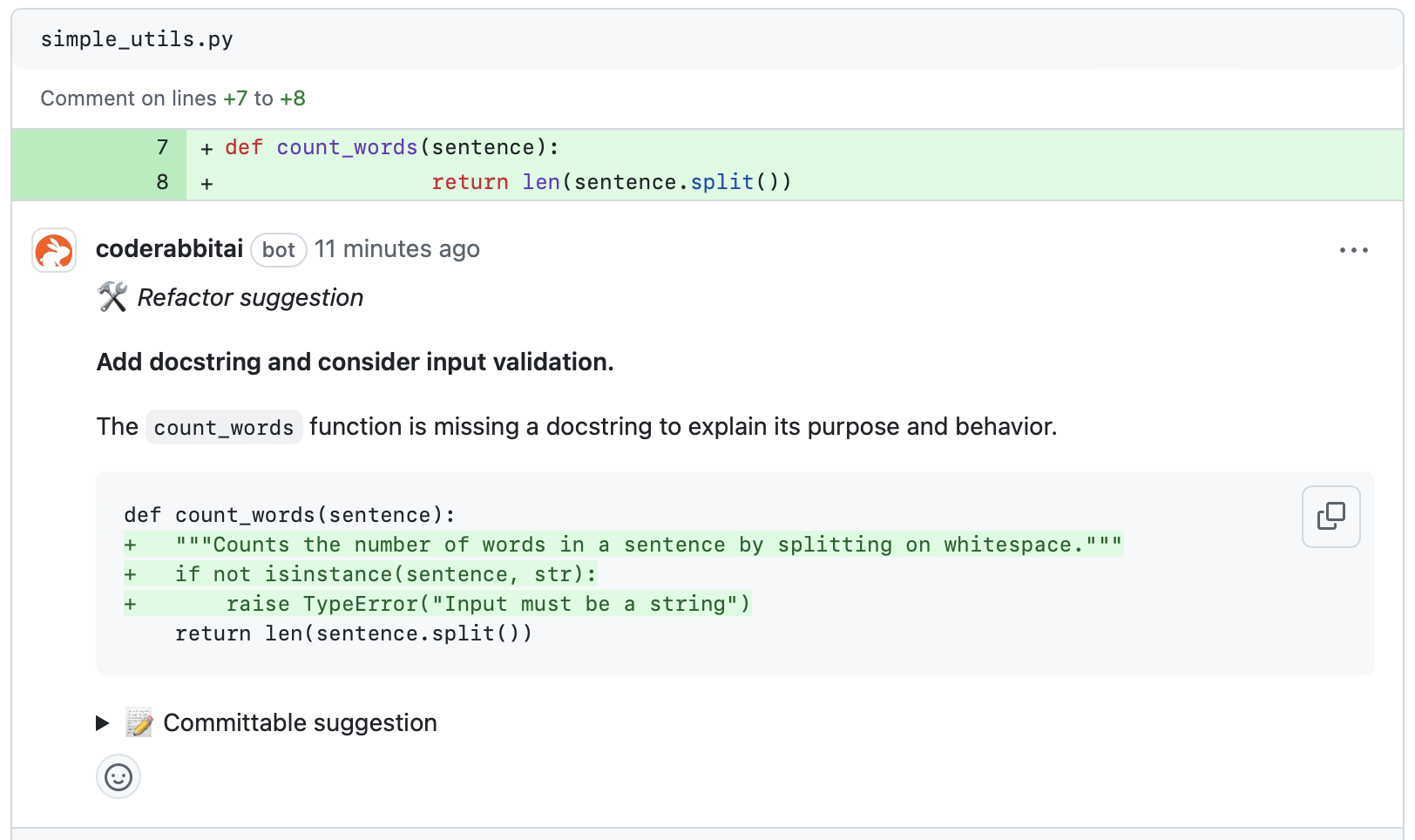
- CodeRabbit attaches a detailed code review to the pull request as another comment.